

A reliable backup strategy protects your website from hacks, failed updates, accidental deletions, and hosting outages while keeping recovery simple, calm, and fast when problems appear.
Every website owner hopes disaster will never happen. Yet the most painful problems usually arrive without warning: a bad update, a broken plugin conflict, a security breach, or a hosting issue that takes a site offline. A WordPress Backup Plugin is not just another tool in a long list of site add-ons. It is a safety net that protects your time, your reputation, and your revenue.
People often think backups are only for developers or large businesses. In reality, every site is one mistake away from data loss. A single failed update can break a homepage. A compromised account can inject malicious code. An accidental delete can remove an important page or product. When that happens, the speed of recovery matters as much as the backup itself. A WordPress Backup Plugin gives you the confidence to restore your site without panic.
This matters even more when your website supports your income, your portfolio, or your brand. Visitors do not care why your site failed. They only care that it works. That is why a WordPress Backup Plugin should be treated as core infrastructure, not optional insurance. It reduces risk, lowers stress, and helps you respond before a small issue becomes a serious business problem.
What a Backup Really Does for You
A backup is a copy of your website data stored in a safe place so you can bring it back when something goes wrong. That sounds simple, but the value is much bigger than the technical definition. A WordPress Backup Plugin helps protect posts, pages, media files, themes, plugins, settings, and sometimes the full database. In practice, it protects the living memory of your site.
Backups create recovery speed
The first major benefit is speed. Without a backup, recovery can become a long and expensive process. With a WordPress Backup Plugin, you can often restore the site in minutes instead of rebuilding it from scratch. That difference matters when traffic, leads, or customers are waiting.
Backups reduce emotional stress
Website problems feel personal because your brand is attached to them. When the site breaks, people often feel frustrated, embarrassed, or even guilty. A WordPress Backup Plugin reduces that emotional pressure by making recovery feel possible and controlled. Knowing that you can restore your site instantly helps you make better decisions under pressure.
Backups protect business continuity
For businesses, a website is not just a digital brochure. It can be a lead engine, a store, a booking system, or a support channel. If the site goes down, operations can slow down immediately. A WordPress Backup Plugin protects continuity by helping your business stay functional after an accident or attack.
The Core Features That Actually Matter
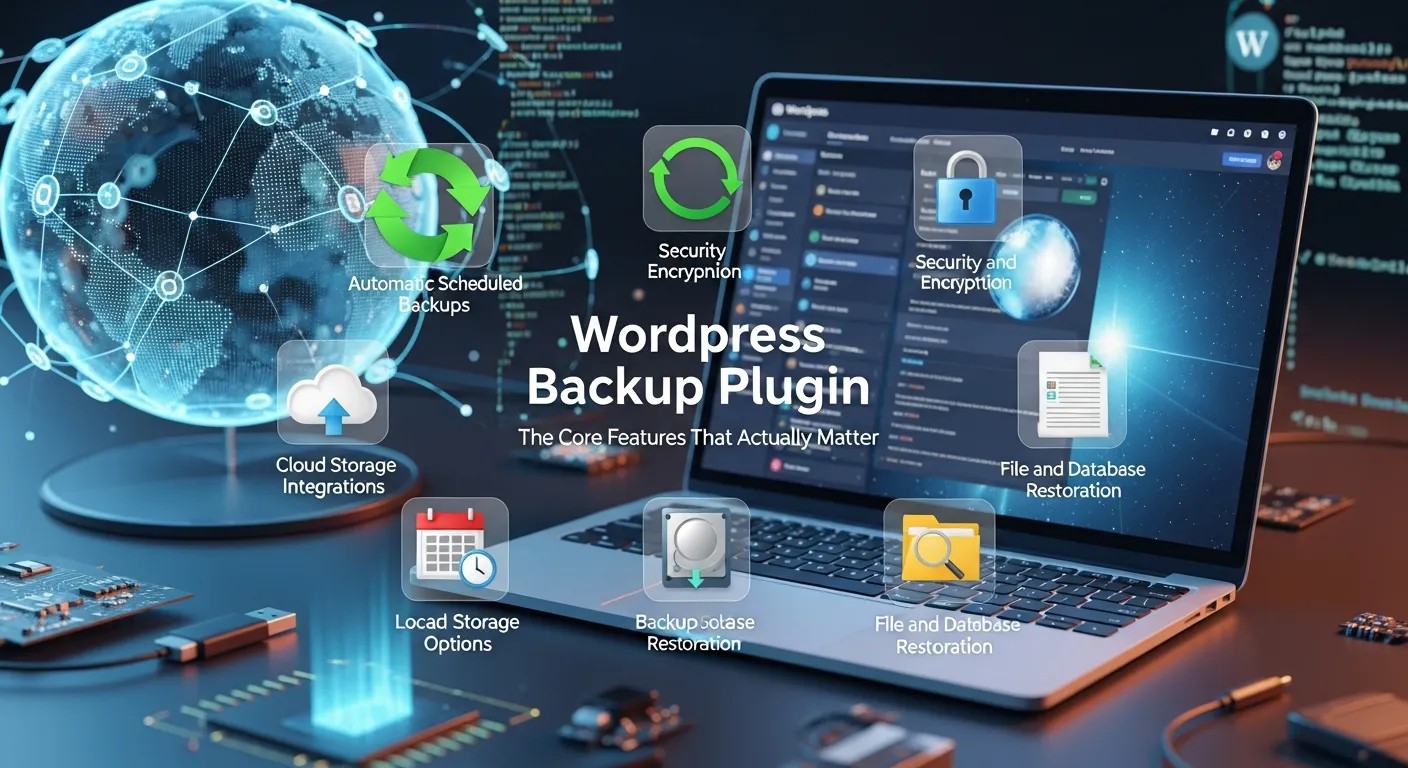
Not every backup tool is equally useful. Some are built for simplicity, some for flexibility, and some for advanced control. The best WordPress Backup Plugin for your site depends on your goals, technical comfort, and business risk.
Automatic scheduling
Manual backups sound fine until you forget them. Automation is one of the most important features because it removes human inconsistency. A WordPress Backup Plugin with reliable scheduling protects you even when you are busy.
Offsite storage
If backups stay on the same server as the website, they may disappear during a server failure or security event. Offsite storage adds an extra layer of safety. A WordPress Backup Plugin should ideally store copies in cloud locations or remote destinations.
Easy restoration
A backup is only useful if restoration is simple. The recovery process should not require technical guesswork. A WordPress Backup Plugin with one-click restore or guided recovery saves time and reduces mistakes.
Full and partial backup options
Sometimes you need the entire site restored. Other times you only need the database or media files. A flexible WordPress Backup Plugin gives you options so you can restore only what is needed.
Version retention
If a new backup is made every day, older versions may still matter. Version retention helps protect you from discovering a problem too late. A WordPress Backup Plugin with sensible retention settings gives you more recovery choices.
What Should Be Backed Up?
A strong backup strategy does not stop at the files you can see. It includes the content and systems that make the site function. A WordPress Backup Plugin should ideally protect both visible assets and hidden structure.
Files and media
Your images, uploads, theme files, and plugin files are part of the site’s appearance and behavior. If they are damaged or deleted, the site may break visually or functionally.
Database
The database stores posts, pages, comments, settings, user data, and a lot of the content that makes your site feel alive. A WordPress Backup Plugin that backs up the database properly is especially valuable because database corruption can be devastating.
Configuration and customizations
Small custom changes often matter more than people expect. Menus, widget settings, plugin settings, and theme customizations may take time to rebuild manually. A WordPress Backup Plugin helps preserve these details.
E-commerce and lead data
If your site collects orders, contacts, or form submissions, that information may be business-critical. Losing it can damage revenue and customer trust. For many sites, a WordPress Backup Plugin is directly tied to revenue protection.
Choosing the Right Backup Strategy
There is no single backup plan that fits every site. A blog, a business site, and an online store all face different risks. The right WordPress Backup Plugin should fit the way your site is used.
For small blogs
A simple scheduled backup with offsite storage may be enough. The main goal is to preserve posts, media, and settings. A WordPress Backup Plugin should make this easy and affordable.
For service businesses
Service sites often depend on forms, lead pages, and brand credibility. A broken site can interrupt inquiries and reduce trust. In this case, a WordPress Backup Plugin should be paired with regular testing and fast restore options.
For online stores
E-commerce sites need a stronger backup mindset because product data and customer transactions are more sensitive. A WordPress Backup Plugin should support frequent backups, reliable database protection, and quick restoration.
For agencies and freelancers
If you manage multiple client sites, backup consistency matters even more. You need standardization, monitoring, and a clear recovery process. A WordPress Backup Plugin can help you reduce risk across the entire portfolio.
Backup Storage and Safety
Where your backup lives matters as much as whether it exists. A backup stored poorly can be almost as risky as no backup at all. A WordPress Backup Plugin should support secure storage planning.
Offsite cloud storage
Storing backups away from the live server reduces the chance that one failure destroys both the site and its recovery files. Cloud destinations are often preferred because they add separation and accessibility.
Multiple copies
Relying on a single backup location is risky. More than one copy gives you redundancy. A WordPress Backup Plugin that supports multiple destinations can improve resilience.
Access control
Backups should not be easy for the wrong person to reach. Sensitive site data may include customer information, login data, or internal content. A WordPress Backup Plugin should be used with secure credentials and limited access.
Retention policy
Old backups can be useful, but keeping too many forever can create clutter and unnecessary storage use. A sensible retention policy balances safety, cost, and organization.
Backup and Security Go Together
Backups and security are not separate concerns. They support each other. If one layer fails, the other can keep your site alive. A WordPress Backup Plugin is especially important when security incidents are part of the threat model.
Malware recovery
If malware gets into a site, restoring from a clean backup can be one of the fastest recovery methods. Of course, you should also remove the cause and patch the vulnerability. But a WordPress Backup Plugin can help you recover faster and cleaner.
Corrupted files
Sometimes files break because of code conflicts or bad uploads, not because of an attack. A clean backup lets you return to a stable version quickly.
Human mistakes
A site owner may delete the wrong page, overwrite the wrong template, or remove an important setting by accident. These everyday mistakes are exactly why a WordPress Backup Plugin is so valuable.
Reputation protection
Downtime and visible errors can harm trust. If a visitor sees a broken site, they may not come back. That is where Online Reputation Management becomes relevant. A dependable WordPress Backup Plugin helps you recover before site issues start affecting how people perceive your brand.
Integrating Backup With Site Operations

Backups work best when they are part of a system, not an afterthought. That system may include updates, monitoring, cleaning, and optimization. A WordPress Backup Plugin should be used with a clear operational rhythm.
Before plugin updates
Always treat major plugin updates as a risk point. Even a useful update can conflict with another tool or theme. A WordPress Backup Plugin gives you a rollback option if something goes wrong.
Alongside performance tools
If you use a Lazy Load Plugin, that is typically about improving speed and user experience. Backups are different, but both serve site reliability in their own way. One helps the site load better; the other helps the site survive problems.
Alongside security tools
A Malware Scanner Plugin can help detect suspicious activity, but detection is only half the story. If a problem is found, restoration becomes the next step. A WordPress Backup Plugin helps complete the response.
Alongside maintenance tools
A Database Cleaner Plugin can reduce clutter and improve site health, but maintenance should never replace backup discipline. Cleaning the database without a backup can create unnecessary risk. A WordPress Backup Plugin keeps cleanup safer.
Alongside media optimization
An Image Optimizer WordPress Plugin can improve page speed and reduce file size, but optimization is not protection. A fast site is good, but a recoverable site is better. That is why a WordPress Backup Plugin should remain part of the foundation.
Backup Planning for Different Risk Levels
Not all sites face the same level of danger. A small hobby blog does not need the same intensity as a membership site or store. A WordPress Backup Plugin should be matched to the level of risk.
Low risk
A simple site with infrequent changes can often use daily or weekly backups, depending on how much content it can afford to lose.
Medium risk
A business site with regular updates, leads, or contact forms should usually use more frequent backups and stricter storage practices.
High risk
A site with customer data, orders, or high traffic should use stronger automation, faster recovery, and regular testing. A WordPress Backup Plugin becomes mission-critical here.
How to Evaluate a Backup Solution
Choosing a backup tool is easier when you know what questions to ask. A WordPress Backup Plugin should be judged by reliability, usability, and restore quality, not marketing promises.
Is it easy to configure?
A tool that is powerful but confusing may never be set up correctly. Ease of use matters because the best backup is the one that actually runs.
Does it support offsite storage?
Local-only backups are usually not enough. Offsite options improve safety and flexibility.
How fast is restoration?
Recovery time can affect business continuity. A WordPress Backup Plugin should make restoration straightforward and predictable.
Can you test backups?
Testing is essential. A backup that has never been tested is only a hope, not a guarantee.
Does it fit your workflow?
The best tool is one you will keep using. A WordPress Backup Plugin should support your habits, not fight them.
Testing and Recovery Drills
A backup strategy is incomplete unless it is tested. Recovery drills reveal whether your backups are usable, current, and complete. A WordPress Backup Plugin should be verified before you trust it. In broader digital operations, teams that use SaaS Analytics Tools for Predicting SaaS Customer Churn still depend on accurate records, clean history, and reliable recovery paths. A WordPress Backup Plugin gives the same kind of confidence to website owners: the ability to act, test, and recover without fear. When the WordPress Backup Plugin is scheduled, stored offsite, and tested regularly, it becomes a calm part of the workflow instead of a last-minute emergency.
Test on a staging site
A staging environment lets you restore without affecting the live site. That is the safest way to confirm that the backup works properly.
Check file integrity
Sometimes a backup exists but is incomplete or damaged. Testing helps confirm that files, themes, and database data are actually recoverable.
Confirm timing
The most recent backup may still be too old for your needs. You should know how much data could be lost between backup intervals.
Practice the full process
During a real issue, calm comes from familiarity. If you already know the restore steps, you can act faster and with less panic.
Common Mistakes Site Owners Make
Many backup failures come from user behavior, not tool limitations. A WordPress Backup Plugin can only help if it is configured and used properly.
Waiting too long to set it up
Some people only think about backups after something breaks. That is too late. Protection must come first.
Keeping backups on the same server
This creates a false sense of safety. If the server fails, the backup may fail too.
Never testing restores
A backup that has not been restored is not fully trusted. Testing matters.
Ignoring database backups
Some owners focus on files and forget the database. That is dangerous because the database may contain the most valuable information.
Using poor retention settings
Too few backups can leave you exposed. Too many poorly managed backups can create clutter. Balance is important.
The Business Value of Reliable Recovery
Backups are not just technical overhead. They are business protection. A WordPress Backup Plugin supports continuity, trust, and speed.
Less downtime
Downtime can hurt traffic, sales, and credibility. The faster you restore, the less damage you face.
Less lost work
Content creation takes time. A backup protects that investment.
Better customer trust
Visitors and customers feel safer when the business appears stable and prepared.
Better internal confidence
Teams move faster when they know a mistake can be undone. That confidence can improve overall execution.
A Simple Backup Workflow You Can Repeat
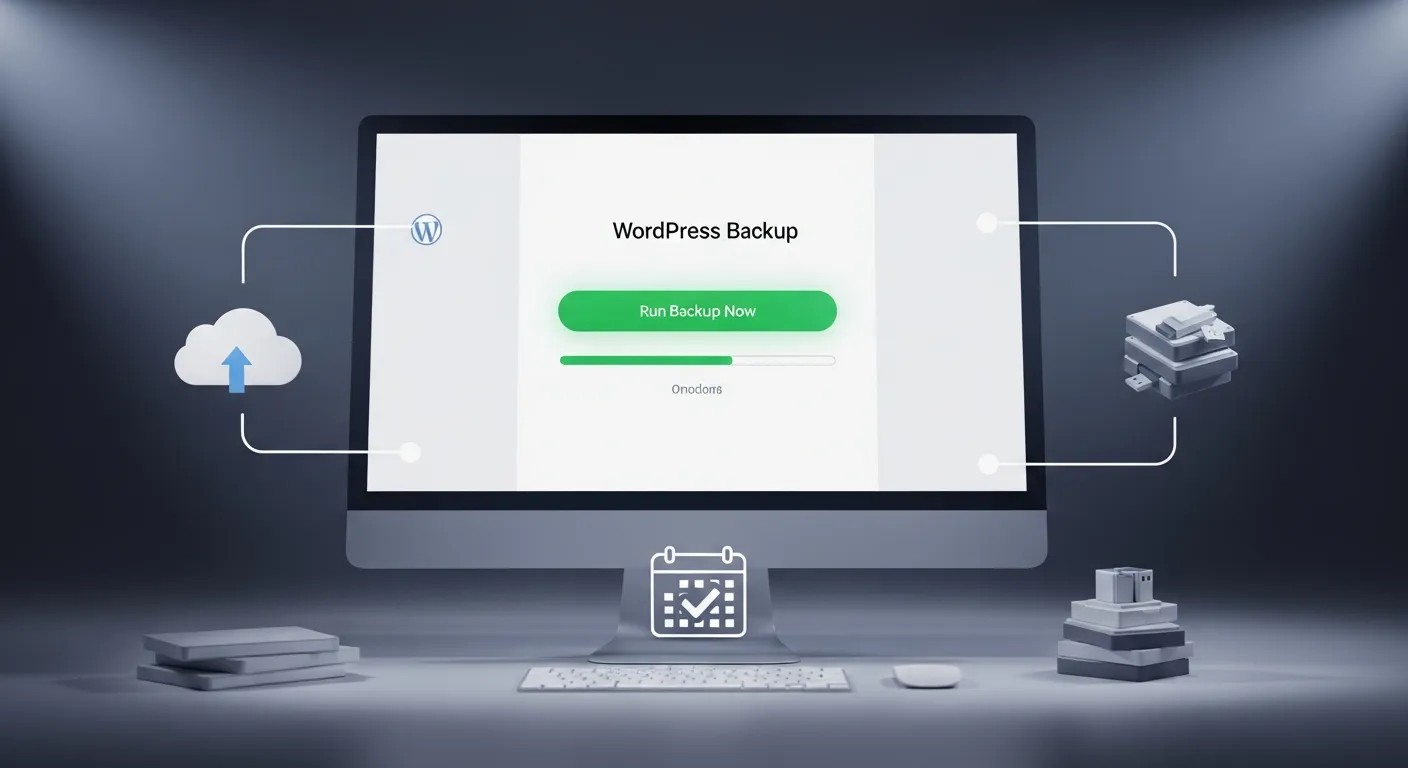
A dependable WordPress Backup Plugin works best when it becomes part of a repeatable routine, not a panic response. Before major edits, create a snapshot. After the changes are stable, run another snapshot. After that, verify the restore path so the WordPress Backup Plugin is not just installed but proven.
If your site also uses a Lazy Load Plugin, a Malware Scanner Plugin, a Database Cleaner Plugin, or an Image Optimizer WordPress Plugin, keep the backup first in the order of operations. Speed tools, security tools, cleanup tools, and media tools are useful, but the WordPress Backup Plugin protects the site when any of them cause trouble. That is why the WordPress Backup Plugin belongs at the center of your maintenance habits.
When you make updates, the WordPress Backup Plugin should already be ready. When you change plugins, the WordPress Backup Plugin should already be ready. When you redesign a page, the WordPress Backup Plugin should already be ready. When you adjust settings, the WordPress Backup Plugin should already be ready. When you move hosts, the WordPress Backup Plugin should already be ready. When you clean the database, the WordPress Backup Plugin should already be ready. When you swap themes, the WordPress Backup Plugin should already be ready. When you recover from a failure, the WordPress Backup Plugin should already be ready.
For busy teams, one final habit helps a lot: document the restore steps beside the WordPress Backup Plugin settings. A WordPress Backup Plugin is easier to trust when the process is written down. Then the WordPress Backup Plugin becomes easier to hand off, easier to repeat, and easier to protect when the site changes. That kind of discipline is what keeps a WordPress Backup Plugin valuable over time. A WordPress Backup Plugin should never be an afterthought.
Why This Matters for Long-Term Site Health
A website is never truly finished. It changes constantly through content, updates, redesigns, plugins, and user activity. That means risk is always present. A WordPress Backup Plugin helps you keep the site healthy over time by making recovery part of the system.
When you have strong backup habits, you become more comfortable improving the site. You update more responsibly. You recover faster. You protect your work from avoidable loss. And most importantly, you stop treating disaster as a mystery event and start treating it as a manageable operational risk.
Conclusion
A strong backup strategy is one of the simplest ways to protect a WordPress site from expensive mistakes, cyber threats, and operational stress. A WordPress Backup Plugin gives you more than stored copies of files; it gives you recovery speed, confidence, and control. That matters whether you run a blog, a business website, or an online store. When backups are scheduled, tested, and stored safely, you reduce the impact of errors and security incidents. In the long run, a reliable WordPress Backup Plugin is not just maintenance. It is business protection, brand protection, and peace of mind.
Frequently Asked Questions (FAQ)
What is a WordPress backup used for?
It is used to restore your site after errors, hacks, failed updates, deletions, or server problems.
How often should backups run?
That depends on how often your site changes. Daily backups suit many sites, while busy stores may need more frequent backups.
Should backups be stored on the same server?
No. Offsite storage is safer because it protects your backups from the same failure that affects the site.
What should a backup include?
At minimum, it should include the database, files, uploads, themes, plugins, and important settings.
Is one backup enough?
Usually no. Multiple versions are better because they give you more recovery choices if one backup is corrupted or too recent.
Do I still need security tools if I have backups?
Yes. Backups help recovery, but security tools help prevent the problem in the first place.
How do I know if my backup works?
Test it on staging or in a safe environment to make sure restoration is successful.
Can backups slow down my site?
Some backup processes can use resources during runtime, so scheduling them thoughtfully matters.
Why is database backup so important?
Because much of your content, settings, and user data lives in the database. Losing it can break the site’s core function.
How do backups support business trust?
They help you recover quickly, reduce downtime, and keep the site stable, which protects user confidence and brand credibility.



Leave a Reply