

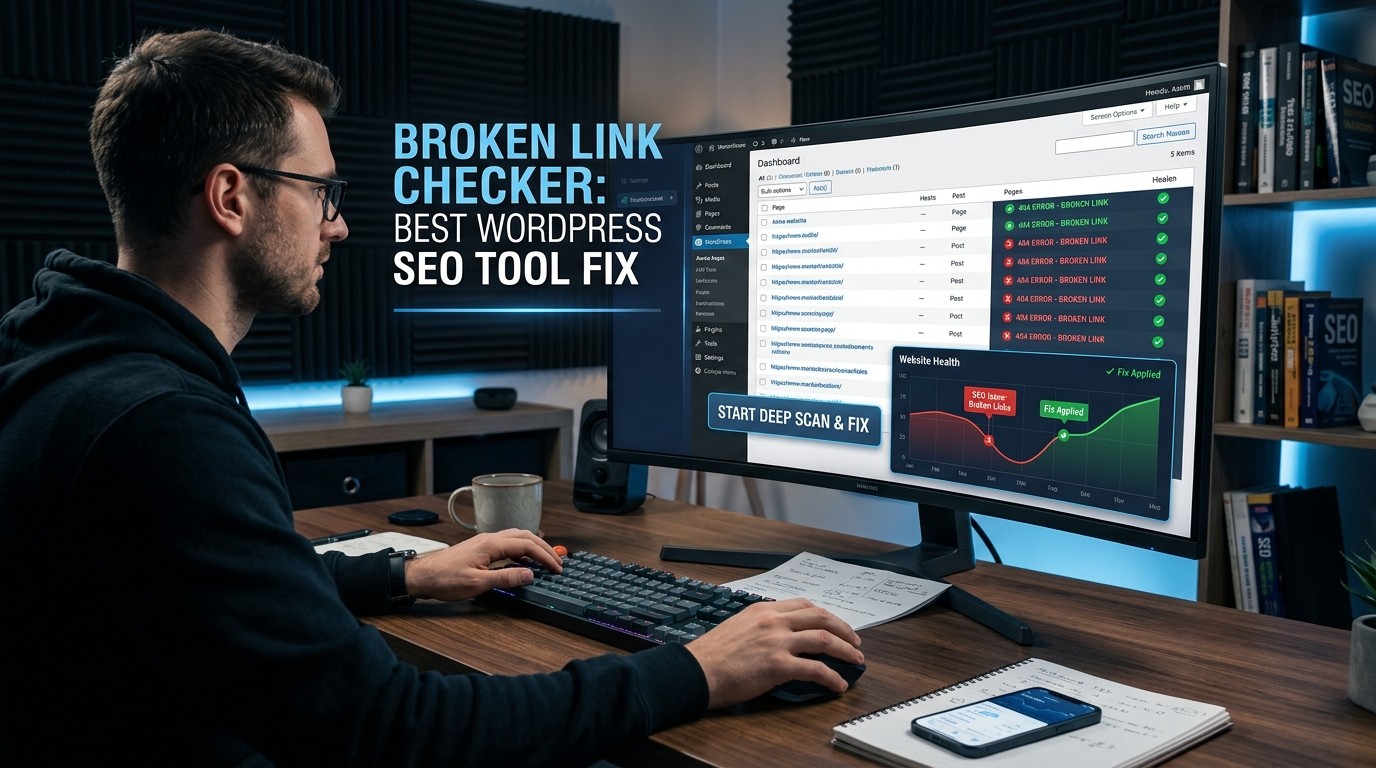
Broken Link Checker protects trust by catching dead URLs early; Broken Link Checker keeps editorial cleanup simple for WordPress teams that publish often without turning maintenance into a chore.
Broken Link Checker matters because broken links quietly damage both user experience and SEO. The official WordPress plugin page says the tool helps catch broken links and images fast before they hurt SEO or UX, and the current WPMU DEV documentation shows that the plugin scans for broken links and displays the results in a report where you can manage them. Broken Link Checker is therefore less about chasing perfection and more about protecting the everyday reliability of a site.
Broken Link Checker also fits the way people actually use WordPress. Content grows, old URLs change, images move, pages get removed, and third-party destinations disappear. Broken Link Checker gives editors a practical way to keep the site tidy without manually checking every post forever. That matters because most site owners do not lose trust from one giant mistake; they lose trust from repeated small errors that make a site feel neglected. Broken Link Checker helps prevent that slow erosion.
Why broken links feel worse than they look
Broken Link Checker is valuable because broken links are not just technical defects. They create a psychological break in the user journey. A visitor expects a click to lead somewhere useful, and when that expectation fails, the site feels less dependable. Broken Link Checker helps preserve that expectation by catching errors before visitors hit a dead end. The WordPress plugin page explicitly connects broken links with credibility, SEO, and user experience, which is exactly why this maintenance task belongs inside an SEO workflow instead of outside it.
Broken Link Checker also matters to search engines because crawl quality is part of site quality. A site with many dead paths can look poorly maintained, especially when old links pile up across posts, comments, custom fields, or media. The plugin page says the tool scans pages, posts, comments, custom fields, images, and redirects, which means it is built for the kinds of places broken references actually hide. Broken Link Checker gives teams a chance to clean those hidden weak spots before they grow into a larger content problem.
What the plugin scans
Broken Link Checker is useful because it looks beyond the obvious. The official plugin page says it scans posts, pages, comments, custom fields, images, and redirects, and the documentation adds that scans can run locally or in the cloud. That breadth matters because broken URLs do not only live in blog body text. They can be tucked into side content, widgets, metadata, and other places that editors may never revisit unless a tool flags them. Broken Link Checker is built to search those less visible areas.
Broken Link Checker also reduces the likelihood of accidental neglect. A site may have a clean homepage and still contain dozens of stale references deep in older content. The plugin’s report-based workflow lets you see what failed and where it failed, which is much easier than opening old posts one by one. Broken Link Checker is especially useful for content-heavy sites because scale creates blind spots, and those blind spots are where broken references usually survive longest.
Dashboard fixes are the real time saver

Broken Link Checker becomes much more practical when you realize how the repair flow works. The plugin page says you can edit, unlink, or ignore broken links from one dashboard, which is a major reason the tool feels efficient in daily use. Broken Link Checker is not just a scanner; it is a cleanup interface. That matters because a report is useful only if it leads to action, and this plugin is designed to reduce the time between finding a problem and fixing it.
Broken Link Checker also helps reduce editing friction. Instead of locating an outdated URL, opening the post, and manually hunting through content, the dashboard approach gives you one place to manage the issue. Broken Link Checker is therefore a good fit for teams that need repeated maintenance without repeated frustration. The support and review pages also highlight that links can be edited directly from the plugin interface, which is one of those practical details that feels minor until you are cleaning dozens of URLs.
Cloud or local, and why that choice matters
Broken Link Checker gives site owners a choice between local and cloud-based scanning. The official documentation says the plugin can work locally on your own server or on WPMU DEV cloud servers, with the cloud option described as 20x faster, better, and more accurate. Broken Link Checker is therefore adaptable to different kinds of sites, whether you want the logic to live on your server or prefer the cloud workflow for speed and reduced strain.
Broken Link Checker is especially useful for larger operations because the cloud version works through the Hub as well as the site admin, while the local version works only in the site admin. That difference matters for agencies and multisite managers who want centralized visibility. The plugin page also says Broken Link Checker is multisite and agency ready. Broken Link Checker is therefore not just a single-site maintenance tool; it is a workable system for broader site portfolios too.
Alerts and scheduled scans keep the work from slipping
Broken Link Checker becomes far more effective when scans are scheduled instead of manual. A WordPress support thread notes that scheduled scans are available in the cloud version and that scheduling is disabled by default until the user turns it on. Broken Link Checker therefore works best when teams treat scanning as a recurring habit rather than a one-time cleanup task. The cloud workflow can automatically run scans and then surface results in the Hub, which makes it easier to stay ahead of new problems.
Broken Link Checker also helps with notification discipline. The plugin page says you can receive email alerts when something breaks and see summary information in the WordPress dashboard. That is valuable because editorial teams do not want to discover broken links weeks later through a traffic dip or a complaint from a reader. Broken Link Checker turns link health into a visible signal instead of a hidden risk, which makes maintenance more proactive and less reactive.
A better editorial workflow
Broken Link Checker works best when it fits into the publishing rhythm. Before a post goes live, editors can review obvious links, and after publication the plugin can keep watch for changes that happen later. Broken Link Checker supports that workflow by making broken references visible after the content has already been published, which is exactly when most link rot begins. The plugin page’s emphasis on automatic link monitoring and bulk fixes shows that this tool is built for ongoing editorial life, not just one-off audits.
Broken Link Checker also supports a calmer content team because it separates discovery from repair. First, the report identifies what is broken; then the team decides whether to update, remove, or ignore it. That small separation lowers decision fatigue. Broken Link Checker is especially helpful when many articles need maintenance at once, because the dashboard and filtering tools let the team prioritize what matters most instead of treating every broken item as equally urgent.
Crawl structure, sitemaps, and internal links

Broken Link Checker fits neatly beside other SEO maintenance tools. If a site already uses an XML Sitemap Plugin, that tool helps search engines discover URLs, while Broken Link Checker helps ensure those discovered paths still work. If the site also uses an Internal Link Builder Plugin, the value of Broken Link Checker becomes even clearer because internal links only help when they point to live destinations. Broken Link Checker acts like the cleanup layer that keeps the crawl path honest.
Broken Link Checker can also be part of a broader content hygiene mindset. A site may look organized on the surface, but if key internal references are dead, the page structure no longer reflects reality. Broken Link Checker keeps that structure healthier over time, which is useful for blogs, stores, documentation sites, and agencies that manage multiple client sites. The point is not to replace strategic linking; the point is to make sure the strategy still points to working pages.
The open-source maintenance mindset
Broken Link Checker makes more sense when you think about the broader discipline of software and publishing maintenance. The same careful habit that keeps GPL Ghost Script packaging tidy and other Open Source Software choices auditable also helps a site owner keep link health under control. Broken Link Checker rewards that mindset because it gives people a repeatable way to inspect, verify, and fix rather than guessing which pieces of content still behave the way they did last month.
Broken Link Checker also fits teams that like transparent tooling. The plugin page and the documentation both describe clear features, including cloud and local engines, email alerts, filtering, and dashboard management. Broken Link Checker is therefore attractive to users who want the maintenance process to be visible and traceable. When a tool is easy to understand, people are more likely to keep using it, and that consistency is what actually improves a site over time.
Who should use it first
Broken Link Checker is especially useful for content publishers, agencies, ecommerce stores, and multisite operators. The WordPress plugin page explicitly mentions personal blogs, client-heavy agency setups, and content-rich ecommerce sites as good fits. Broken Link Checker works particularly well in those environments because each of them creates links at scale and each one can accumulate stale references quickly. If a site publishes often or manages many pages, the chances of link decay rise.
Broken Link Checker is also a smart choice for teams that do not have the time to hand-audit old posts. A big archive, a changing product catalog, or a long-running documentation site can make manual checking unrealistic. Broken Link Checker lowers that burden by keeping the problem visible and manageable. That is why the tool is not only a technical fix; it is an operational shortcut that helps content teams stay current without spending all day checking links.
A practical fix-first routine
Broken Link Checker works best when the workflow is simple: scan, sort, fix, and recheck. The official pages say you can search and filter results, edit or unlink bad URLs, and use cloud or local scanning depending on the site’s needs. Broken Link Checker is therefore easy to turn into a repeatable process. The value comes from keeping the loop short so broken references do not sit untouched for months.
Broken Link Checker also encourages smart triage. Not every broken item should be treated the same way. Some links should be updated, some should be removed, and some may be intentionally ignored. The plugin’s dashboard approach supports that kind of judgment. Broken Link Checker makes the issue visible, but it still leaves room for editorial decision-making, which is important because good SEO maintenance should stay practical rather than mechanical.
Comparing it with the rest of the stack

Broken Link Checker is not a replacement for good site architecture, good content, or good internal linking. It is the maintenance layer that protects those investments. The plugin page says it can monitor custom fields, pages, posts, comments, images, and redirects, and that breadth is what makes it useful in a real WordPress stack. Broken Link Checker works best alongside sitemap management, internal link planning, and routine content updates because all of those pieces support the same goal: fewer dead ends for users and search engines.
Broken Link Checker also compares well against the more manual way of doing things. You could search your site by hand, but the process would be slow, repetitive, and easy to forget. The plugin page’s bulk-fix and reporting features show why automation matters here. Broken Link Checker saves time because it centralizes the evidence and the action in one place, which is exactly what a busy site owner needs when maintenance is getting out of hand.
What the current official sources confirm
Broken Link Checker’s current official materials confirm the core story: the plugin scans content, shows issues in a report, supports cloud and local engines, can notify you by email, and offers dashboard-based fixing. The support threads also show how scheduled scans are configured and that cloud scanning can surface reports in the Hub. Broken Link Check is therefore not just a name in the plugin directory; it is an actively documented maintenance workflow with current support information.
Broken Link Check is also described on WordPress.org as a tool that helps catch broken links and images fast before they hurt SEO or UX, which is the most direct reason to use it. That official positioning is important because it ties the plugin to the actual business outcome most site owners care about: protecting visitors from dead ends and protecting the site from avoidable maintenance decay. Broken Link Checker does that job by turning link health into a visible, manageable task.
Conclusion
Broken Link Checker is one of those WordPress tools that becomes more valuable the longer a site exists. As content grows, links change, images move, and old resources disappear, the cost of manual checking rises quickly. Broken Link Check solves that problem by scanning content, centralizing reports, and giving you fast repair actions from the dashboard or Hub. The current official documentation shows that it can run locally or in the cloud, support alerts, and work across broader site portfolios, which makes it practical for bloggers, agencies, and ecommerce teams alike. If your goal is cleaner content, fewer dead ends, and a more reliable site experience, Broken Link Check is a very sensible fix-first choice.
Frequently Asked Questions (FAQ)
1. What does Broken Link Check actually do?
Broken Link Check scans your WordPress content for broken links and images, then shows the results in a report where you can manage the problems. The official plugin page says it can scan pages, posts, comments, custom fields, images, and redirects.
2. Does Broken Link Check help SEO?
Yes. The WordPress.org plugin page says broken links can hurt SEO and UX, and the plugin is designed to catch those issues before they damage the site. Broken Link Check is therefore a maintenance tool with clear SEO value.
3. Is Broken Link Check cloud-based or local?
Broken Link Check supports both. The documentation says it can run locally on your own server or in the cloud on WPMU DEV servers, and the cloud option is described as 20x faster, better, and more accurate.
4. Can I receive alerts from Broken Link Check?
Yes. The official plugin page says you can receive email alerts when something breaks, and the dashboard can also show summary notifications. Broken Link Check is built to keep you informed instead of forcing manual checking.
5. Can I fix links without editing posts manually?
Yes. Broken Link Checker lets you edit, unlink, or ignore broken links from its dashboard, which saves time and avoids unnecessary page-by-page editing.
6. Is Broken Link Checker useful for agencies?
Yes. The plugin page says it is multisite and agency ready, and it is designed to handle broken links across multiple sites. Broken Link Checker is therefore a strong fit for client work and portfolio maintenance.
7. How do scheduled scans work?
A WordPress support thread explains that scheduled scans are available in the cloud version and are disabled by default until you configure them. Broken Link Checker uses that schedule to keep scans recurring instead of one-off.
8. What content types can it scan?
The official plugin page says Broken Link Checker scans posts, pages, comments, custom fields, images, and redirects, and the documentation adds that it is built to report and manage issues from those areas.
9. Who benefits most from using it?
Bloggers, agencies, and ecommerce sites benefit heavily because they publish lots of content and links over time. The official page specifically mentions personal blogs, client-heavy agency setups, and content-rich ecommerce sites as strong use cases.
10. What is the simplest way to use it well?
Scan regularly, review the report, fix the most important links first, and keep scheduled scans turned on. Broken Link Checker works best as part of a repeatable maintenance routine rather than a one-time cleanup.



Leave a Reply