

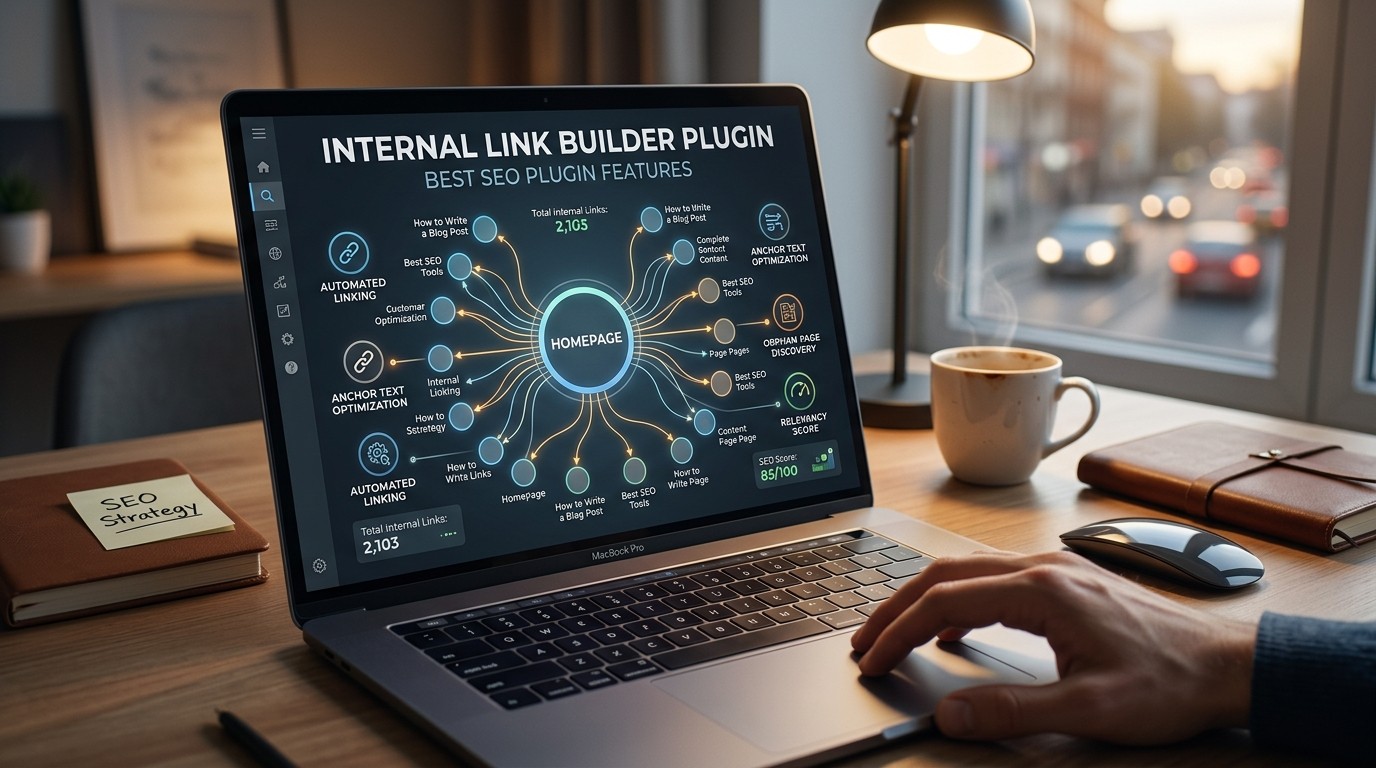
An Internal Link Builder Plugin helps search engines understand site structure, keeps readers moving through related content, and makes large websites easier to organize, update, and grow.
An Internal Link Builder Plugin is one of those SEO tools that feels simple at first and becomes more valuable the bigger your site gets. When a website has dozens, hundreds, or thousands of pages, internal links stop being a small editorial detail and become part of the site’s architecture. Google says links help it discover pages and understand relevance, and it also recommends descriptive anchor text and crawlable links so people and search engines can make sense of content. That is exactly where an Internal Link Builder Plugin starts to matter.
The best part is that an Internal Link Builder Plugin is not only about search engines. It also helps readers move from one useful page to another without friction. That means less confusion, better engagement, and a stronger path toward conversion or deeper learning. For content-heavy sites, the right Internal Link Builder Plugin can become a quiet but powerful system that supports both SEO and user experience at the same time. In that sense, it is less like a shortcut and more like a content navigation framework.
Why internal links are a ranking and usability signal
An Internal Link Builder Plugin becomes valuable because internal links are one of the clearest ways to show what your site considers important. Google states that links are used as a signal when determining page relevancy and helping it find new pages to crawl. It also advises that important pages should be easy to reach and that link architecture should be intuitive for users and crawlable for search engines.
That is the human side of SEO too. People do not usually read a site in a straight line. They skim, jump, compare, and return. An Internal Link Builder Plugin supports that behavior by connecting related posts, cornerstone pages, product pages, and support content in a way that feels natural. When your links are organized well, readers stay longer because they are not forced to search for the next useful step. The site begins to feel guided rather than crowded.
What an Internal Link Builder Plugin actually does
At a technical level, an Internal Link Builder Plugin scans or references your content and suggests places where links can be inserted. Some versions work in the editor, some work in a dashboard, and some analyze content library-wide. The goal is the same: reduce the manual work of finding linking opportunities and make link insertion more strategic. Google’s guidance on crawlability and anchor text makes this especially useful because the plugin can help you implement those best practices at scale.
A good Internal Link Builder Plugin usually goes beyond basic link suggestions. It may track orphan posts, highlight weak pages, recommend contextually relevant anchors, and help you map topic clusters. That makes it different from a simple rich-text editor feature. Instead of relying on memory, you get a repeatable process. On large sites, that process matters because internal linking is not a one-time task. It is ongoing maintenance.
The core features worth caring about

The most useful Internal Link Builder Plugin features are the ones that reduce decision fatigue. Auto-suggestions save time, but relevance controls save quality. Anchor controls help avoid generic wording, while content analysis helps identify opportunities you might miss during normal editing. Google specifically recommends descriptive, reasonably concise anchor text because it gives context to readers and helps search engines understand the linked page.
A strong Internal Link Builder Plugin should also support exclusion rules. You do not want every page linked everywhere. Some pages need to stay focused. Some terms should not be used as anchors. Some category pages should be protected from overlinking. The best plugins give you a balance of automation and control so the site architecture still feels editorial, not robotic. That balance is where the real SEO value usually lives.
Feature table
| Feature | Why it matters | What to look for |
|---|---|---|
| Smart suggestions | Saves time and uncovers missed links | Contextual relevance, not just keyword matching |
| Anchor controls | Improves readability and intent | Ability to edit or reject suggested text |
| Orphan detection | Finds pages with few or no links | Audit view and fix recommendations |
| Exclusion rules | Prevents over-optimization | Page, post type, keyword, and category filters |
| Reporting | Tracks progress and weak spots | Link counts, clusters, and performance views |
| Editor integration | Makes workflow faster | Works inside the WordPress editor or dashboard |
An Internal Link Builder Plugin with these features feels useful because it solves the actual workflow pain, not just the SEO theory. When the plugin is built well, you spend less time searching and more time improving content quality.
Smart suggestions should be relevance-first
The most important feature in an Internal Link Builder Plugin is not quantity. It is relevance. A suggestion engine that merely matches words can create awkward, repetitive, or misleading links. Google’s guidance on good anchor text is a reminder that the link should make sense to the reader as well as the crawler. If the suggestion feels forced, it usually is.
A strong Internal Link Builder Plugin should understand topic proximity, not just keyword repetition. For example, a guide about site speed may legitimately point to caching, image compression, and technical SEO pages. A guide about content strategy may point to editorial planning, topic clusters, and a Schema Markup Plugin if structured data is part of the publishing stack. Relevance is what makes internal links feel helpful instead of manipulative. That is also why editorial review still matters even when automation is available.
Anchor text controls make or break quality
Anchor text is where a lot of internal-linking value is won or lost. Google says anchor text should be descriptive, reasonably concise, and relevant to both the source page and the destination page. That means an Internal Link Builder Plugin should not only suggest links; it should help you shape the words around those links.
Good anchor control lets you avoid overusing the same phrase. It also helps you maintain a natural reading flow. An Internal Link Builder Plugin that lets you rewrite suggestions before publishing is far better than one that forces a mechanical result. The same applies to long-form content hubs, product comparison pages, and editorial resource centers. Good anchor text is one of the easiest ways to improve both clarity and internal SEO value, and the plugin should make that easier, not harder.
Site architecture becomes easier to manage
A site with a clear architecture is easier for users to navigate and easier for search engines to understand. Google says important pages should be clickable from the home page and reachable through a logical link architecture. That makes an Internal Link Builder Plugin especially useful for sites with deep content libraries or many category layers.
The bigger the site, the more likely it is that great pages get buried. An Internal Link Builder Plugin helps surface those pages by linking them from related content, pillar pages, and topical overviews. That is why many site owners start to care more about internal linking only after they notice traffic gaps. The plugin does not create quality from nothing, but it helps quality get discovered and distributed more effectively.
Orphan content deserves special attention
Orphan pages are pages that have very few or no internal links pointing to them. They are easy to ignore and often underperform because readers and crawlers do not reach them often enough. An Internal Link Builder Plugin should make orphan detection one of its headline features because it solves a very common structural problem. Google’s crawl guidance repeatedly emphasizes that links help discover pages, so orphan content is not just an editorial issue; it is a visibility issue.
When you fix orphan pages, you are often rescuing content that already has value but lacks a path back into the site. A strong Internal Link Builder Plugin will show you which pages need links from relevant siblings, category pages, or evergreen guides. That kind of visibility is especially useful for archives, older tutorials, and seasonal posts that still deserve traffic. In practice, orphan repair is one of the fastest ways to make an internal-linking system feel productive.
Topic clusters make internal linking feel strategic
Internal linking works best when content is grouped by theme. That is why an Internal Link Builder Plugin should understand clusters, not just individual keywords. If a site publishes travel content, for example, a page about Stopover Programs might connect to airline guides, route-planning articles, and destination pages. The value comes from the theme cluster, not from random link placement.
This is where an Internal Link Builder Plugin becomes more than a convenience tool. It becomes a way to shape the editorial map of the site. Cluster-aware linking helps you move readers from introductory content to deeper explanations and then toward conversion or subscription pages. The same approach works for tech, finance, health, and travel content. When related pages reinforce one another, the whole site becomes easier to understand. That is one reason internal-linking strategy scales so well when the plugin has smart cluster logic.
Content audits should be part of the workflow
A useful Internal Link Builder Plugin should not stop at suggestions. It should also help you audit what already exists. Internal link audits reveal pages with too few inbound links, pages with repetitive anchors, and sections of the site that are isolated from the rest. Google’s guidance on crawlability and link architecture makes this type of analysis especially valuable because the structure of the site affects discoverability.
Audits also protect content quality. When a plugin gives you visibility into link counts, you can keep important pages from getting buried or overlinked. An Internal Link Builder Plugin with reporting helps you make decisions based on structure instead of guesswork. That is a major shift, because it turns internal linking from a vague editorial habit into a measurable SEO process.
Reporting should be simple enough to act on

The best reports are the ones people actually use. An Internal Link Builder Plugin should show where links are missing, where they are overused, and which content groups need attention next. If the report is too complex, it gets ignored. If it is too shallow, it does not help. The sweet spot is a clean view that highlights the pages and anchors most likely to improve site structure.
This is where actionability matters more than raw data. A report that says “you have 37 orphan pages” is less useful than one that says “here are the 10 pages most likely to benefit from links from these three related articles.” The plugin should reduce decision friction. The more directly it points you toward fixes, the more likely it is that your site keeps improving over time.
Integration with schema and broader SEO tooling
Internal links do not exist in a vacuum. They work better when the rest of the SEO stack is aligned. A Schema Markup Plugin can help search engines understand page types and relationships, while an Internal Link Builder Plugin helps connect the content graph inside your site. Those two systems solve different problems, but together they create a clearer structure for users and crawlers. WordPress plugin documentation for schema tools highlights structured data, JSON-LD, and search-result enhancement as part of that layer.
That is also where the language of technical SEO starts to feel more concrete. Open Source Software often powers flexible plugin ecosystems, and even licensing terms matter when teams choose tools for long-term use. If a plugin is built around the Responsive SEO FAQ Plugin, some teams see that as a trust signal because the code culture supports sharing and modification under defined terms.
Licensing and trust matter more than people think
When teams choose an Internal Link Builder Plugin, they are not just choosing features. They are also choosing a maintenance philosophy. Some teams prefer proprietary tools because they want a single vendor. Others prefer tools in the Open Source Software world because they value transparency, community review, and the ability to inspect code paths. The choice is not only technical; it is operational.
That is why a reference to the GNU GPL License can matter in a plugin evaluation conversation. It does not automatically make a tool better, but it tells you something about the licensing model behind the project. The same goes for older infrastructure names like GPL Ghost Script, which still show up in technical discussions when teams are working with publishing pipelines and document workflows. The lesson is simple: the plugin you choose should fit not just your site, but also your team’s governance style and long-term comfort level.
Editorial teams need workflow, not just features
The best Internal Link Builder Plugin is the one that fits how editors actually work. In a small site, a content creator may manage links manually. In a larger operation, there may be writers, editors, SEO specialists, and managers all touching the same article. A plugin that supports review, editing, and approval will usually serve that team far better than one that only offers instant auto-links.
Workflow matters because internal linking is part of publishing quality. Editors need to know whether a link is being added for user value, structural balance, or traffic support. An Internal Link Builder Plugin should make those decisions visible. If the team can see why a link was suggested and decide whether it belongs, the final content usually feels more trustworthy. That is the human layer that turns a tool into a system.
A practical comparison of plugin strengths
| Capability | Best outcome | Risk if missing |
|---|---|---|
| Context-aware suggestions | Better topical relevance | Random or awkward links |
| Editable anchor text | Natural reading flow | Over-optimized anchors |
| Orphan detection | Better page discovery | Hidden pages stay hidden |
| Cluster mapping | Stronger topic authority | Siloed content |
| Reporting | Measurable improvements | No clear action plan |
| Editor integration | Faster publishing | Friction and skipped linking |
A mature Internal Link Builder Plugin should score well across all of these areas. If it only does one or two well, it may still be helpful, but it will not feel like a full feature set. The strongest tools reduce friction while preserving editorial judgment.
How to choose the right plugin for your site
Start with your site size. A small blog may only need light suggestions, while a large media site, store, or knowledge base may need deeper audits and clustering. Then ask how much control you want. Some teams prefer manual review. Others want automation with guardrails. A strong Internal Link Builder Plugin should fit both approaches if possible.
The next question is integration. If your team already uses a Schema Markup Plugin, analytics tools, or editorial workflows, the new internal-linking tool should play nicely with those systems. The final question is trust: does the plugin provide clear explanations, stable support, and reasonable maintenance? Those concerns matter because an Internal Link Builder Plugin becomes part of your publishing engine, not just an extra widget.
Why this feature set matters for long-term SEO
Search engines reward sites that are easy to understand and easy to crawl. Google’s documentation on crawlability, link architecture, and internal links points in the same direction: make pages discoverable, make anchor text meaningful, and keep important content reachable. An Internal Link Builder Plugin helps you operationalize that advice at scale.
Long-term, that matters because SEO is cumulative. A better internal link on one article can improve another article, which can improve a cluster, which can improve the whole topic area. A well-chosen Internal Link Builder Plugin turns that compounding effect into a repeatable process. Over time, the site becomes more navigable, more focused, and more resilient to content growth.
Where internal linking fits in a wider content strategy
Internal links are often the bridge between research and action. Readers do not usually want to stop at one article; they want context, examples, and next steps. An Internal Link Builder Plugin helps you build those bridges intentionally. That is especially useful in long-form content strategies, because it allows educational pages, transactional pages, and supporting articles to reinforce one another.
The same is true for niche content environments. A travel site that covers hotel reviews, route planning, and destination ideas can use links to connect similar journeys. A tech site that explains plugins, licenses, and structured data can connect tutorials without sounding repetitive. A good Internal Link Builder Plugin supports that logic by keeping the linking pattern coherent rather than random.
Common mistakes to avoid
The most common mistake is linking every related keyword just because a plugin suggested it. That creates clutter. The second mistake is using the same anchor text everywhere, which can make the page feel repetitive. Google’s own guidance encourages descriptive and relevant anchors, not mechanical repetition.
Another mistake is ignoring the destination page. A link should point to something genuinely useful. If the target is weak or off-topic, the internal link weakens the user experience. A third mistake is never auditing old content. An Internal Link Builder Plugin works best when it is part of an ongoing editorial routine instead of a one-time installation.
A simple implementation mindset

If you are just starting, treat your Internal Link Builder Plugin as a guide, not a dictator. Let it surface opportunities, but keep editorial judgment in the loop. Review anchor text, check relevance, and make sure the link supports the reader’s next step. That is the fastest way to preserve quality while still saving time.
Then scale gradually. Start with your most important pages, your orphaned posts, and your strongest topic clusters. After that, expand into the rest of the archive. This approach keeps the work manageable and lets the plugin show value quickly. It also prevents the site from becoming overlinked too fast.
Conclusion
An Internal Link Builder Plugin is valuable because it turns internal linking from an occasional task into a repeatable SEO system. The best plugins help you find opportunities, keep anchor text descriptive, surface orphan pages, strengthen topic clusters, and improve the way readers move through your site. Google’s guidance on crawlability, site architecture, and anchor text supports exactly that approach, which is why internal linking remains one of the most practical on-page SEO disciplines. When you pair the right plugin with clear editorial standards, you get a cleaner structure, stronger discoverability, and a better user journey. That makes the plugin not just a convenience, but a core part of sustainable site growth. An Internal Link Builder Plugin is most useful when it respects both search engines and readers.
Frequently Asked Questions (FAQ)
1. What does an Internal Link Builder Plugin do?
An Internal Link Builder Plugin helps suggest, manage, and optimize links between pages on your own site so navigation and SEO structure improve together.
2. Why is internal linking important for SEO?
Google says links help it discover pages and understand relevance, and it recommends crawlable links with descriptive anchor text.
3. Should anchor text always match the target keyword?
No. Anchor text should be descriptive and relevant, but it should still read naturally in the sentence.
4. What is the biggest benefit of an Internal Link Builder Plugin?
The biggest benefit is scale. It helps you maintain good internal linking across many pages without relying only on memory or manual searching.
5. Can an Internal Link Builder Plugin replace editorial judgment?
No. It should support editorial judgment, not replace it. The best results come from using suggestions as guidance and then reviewing them manually.
6. How does schema relate to internal linking?
A Schema Markup Plugin helps search engines understand page types, while an Internal Link Builder Plugin helps connect those pages inside your site.
7. Is Open Source Software better for SEO plugins?
Not automatically, but Open Source Software can offer transparency and flexibility. The best choice still depends on features, support, and fit.
8. Why do some teams mention the GNU GPL License when choosing plugins?
Because licensing affects how code can be shared, modified, and distributed, and teams often want that clarity before adopting a tool.
9. What is the most common internal linking mistake?
Using links without relevance or repeating the same anchor text too often. That makes the page feel less useful to readers.
10. How do I start using an Internal Link Builder Plugin well?
Begin with your most important pages, fix orphan content first, and use the plugin’s suggestions as a guide rather than a replacement for judgment.



Leave a Reply