

A Lazy Load Plugin helps WordPress sites load images and media only when needed, improving speed, reducing strain, and creating a smoother visitor experience.
A slower website does more than frustrate visitors. It weakens trust, lowers engagement, and can quietly reduce conversions before a reader even sees your message. That is why a Lazy Load Plugin has become such an important part of modern WordPress performance strategy. When content loads only as users scroll, the browser does less work at the beginning, and the page feels much faster.
The real value of a Lazy Load Plugin is not just technical. It is emotional. Visitors judge a website within seconds, and speed shapes how professional, reliable, and enjoyable the site feels. A well-configured Lazy Load Plugin can make a heavy blog, a media-rich homepage, or a long product page feel noticeably lighter. That improved feeling often turns into longer sessions, fewer exits, and better user satisfaction.
For site owners, the goal is not to use speed tools randomly. The goal is to make smart decisions that support performance without damaging design or accessibility. A Lazy Load Plugin is one of those decisions. Used correctly, it can delay offscreen images, iframes, and sometimes videos until the user is ready to see them. This reduces the initial page weight and gives the browser more breathing room.
Many website owners also pair performance tools with a WordPress Backup Plugin so they can test changes safely. That is a wise habit, because any optimization process should protect the site before it changes anything. A good Lazy Load Plugin can be powerful, but it should always be introduced with care.
What Lazy Loading Actually Means
Lazy loading is a method that delays loading non-essential elements until they are needed. Instead of forcing every image, embed, or media asset to load at once, a Lazy Load Plugin tells the browser to focus on what is visible first. This creates a faster initial experience and reduces unnecessary requests.
A Lazy Load Plugin works especially well on pages with many images, long blog posts, portfolios, product listings, or homepages with embedded media. If a visitor only sees the top section first, there is no reason for the browser to spend energy loading content hidden far below the fold. That is the central idea behind a Lazy Load Plugin.
This does not mean content disappears or loads poorly. It means content appears when the visitor is about to need it. That timing matters because human attention is limited. A cleaner first load often feels smoother and more intuitive. A Lazy Load Plugin helps the browser prioritize what matters most in the first moment.
There is also a practical bandwidth benefit. Users on slower connections or mobile devices may see a meaningful improvement when a Lazy Load Plugin reduces the amount of data loaded upfront. In real-world use, this can make a page feel more responsive even when the total content is large.
Why Speed Matters So Much in WordPress
Speed is not only a technical metric. It shapes behavior. When a page loads slowly, users lose patience, confidence drops, and many of them leave before engaging. A Lazy Load Plugin helps reduce that risk by making the first impression faster and more manageable.
WordPress websites often grow over time. Images are added, embeds accumulate, and layouts become heavier. Without a speed strategy, even a well-designed site can start to feel sluggish. A Lazy Load Plugin is one of the easiest ways to recover some of that lost performance without rebuilding the whole site.
For business owners, speed can influence conversions. A fast page can make forms easier to reach, content easier to read, and product pages easier to browse. A Lazy Load Plugin supports that experience by helping the page become usable sooner. That may seem small, but small improvements often create the biggest difference in user satisfaction.
There is also a psychological side. People assume a fast website is more polished and better maintained. A Lazy Load Plugin helps reinforce that feeling. When the page reacts quickly, the whole brand feels more modern and competent.
How a Lazy Load Plugin Improves the User Experience
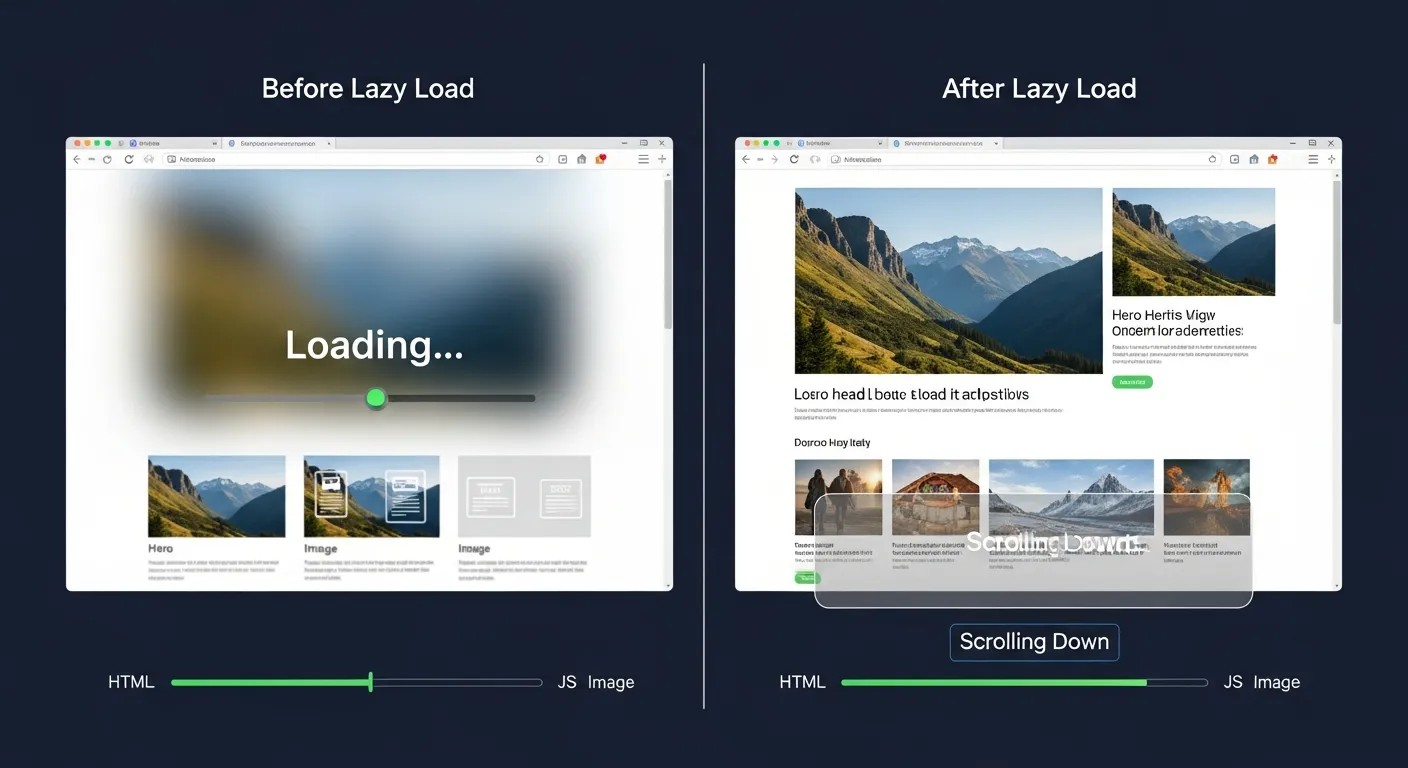
The best performance tools improve the journey without calling attention to themselves. A Lazy Load Plugin does exactly that when configured well. The visitor does not need to understand the mechanics. They simply feel that the website opens faster and flows better.
One major benefit is reduced waiting at the top of the page. Instead of loading every image before the user can interact, a Lazy Load Plugin keeps the initial content lighter. That creates a more immediate sense of progress. Users can start reading, clicking, or scrolling sooner.
Another benefit is smoother mobile browsing. On small screens and weaker networks, heavy pages can feel especially frustrating. A Lazy Load Plugin can make those situations less painful by reducing upfront load demands. That is important because many visitors now browse on phones and expect quick results.
A Lazy Load Plugin also supports content-heavy websites that rely on visual storytelling. When images appear as the user moves through the page, the experience feels more deliberate and less overwhelming. The page still contains all the same value, but it reveals itself at a better pace.
Where Lazy Loading Helps Most
Not every element needs the same treatment, but some areas benefit greatly from a Lazy Load Plugin. Image galleries are a classic example. If a page contains dozens of images, loading all of them at once can slow the first view dramatically. A Lazy Load Plugin lets the browser focus on the visible items first.
Blog posts with many screenshots or tutorial images are another strong use case. When readers scroll slowly through a guide, a Lazy Load Plugin can keep the page responsive while allowing the content to appear in sequence. This is especially helpful for educational and editorial sites.
Embedded videos and third-party content can also be heavy. A Lazy Load Plugin can delay these resources until the user reaches them, which helps reduce the page’s initial burden. That can be especially useful for landing pages and long-form content pages.
Ecommerce sites may use a Lazy Load Plugin on product grids, category archives, and recommendation sections. These areas can contain many images, so delaying offscreen loading can improve the first shopping impression. In the same way, a WordPress Maintenance Mode Plugin may be useful during redesigns or updates, but lazy loading helps the live site stay fast while content keeps expanding.
Technical Basics Without the Confusion
A lot of site owners worry that speed optimization requires advanced coding skills. In many cases, a Lazy Load Plugin simplifies the process so much that the technical complexity stays hidden. The plugin manages when media loads, while the user interface stays familiar.
Most modern implementations rely on browser features or script-based detection. A Lazy Load Plugin identifies when an image is close to appearing in the user’s view, then loads it just in time. This means the browser does less work upfront and more work only when needed.
The technical goal is balance. A Lazy Load Plugin should not delay visible content at the top of the page, because that would hurt the user experience instead of helping it. Good settings keep the important content immediate while postponing offscreen elements. That is why testing matters.
It is also worth remembering that lazy loading is only one part of a broader performance strategy. A Lazy Load Plugin can help, but it should work alongside caching, compression, image optimization, and clean hosting. When those parts work together, the site becomes much more efficient.
Choosing the Right Lazy Load Plugin
There are many tools available, but the best choice depends on your site’s structure, theme, and goals. Some sites need a simple solution, while others need more control. A strong Lazy Load Plugin should be easy to configure, stable, and compatible with common page builders and themes.
Look for a plugin that allows you to exclude important assets if needed. For example, the main hero image often should not be delayed. A good Lazy Load Plugin should give you enough control to protect above-the-fold content while optimizing the rest of the page.
Documentation matters too. Even a beginner-friendly Lazy Load Plugin should explain how it handles images, iframes, background media, and other assets. If the plugin is not clear about what it does, it becomes harder to trust and troubleshoot.
You should also think about support and update quality. A plugin that is actively maintained is less likely to create problems after WordPress core updates. Reliability is important because a Lazy Load Plugin should improve the site, not become another maintenance headache.
Best Practices Before You Activate Lazy Loading
Before enabling a Lazy Load Plugin, it is smart to test the site carefully. Performance tools can behave differently depending on themes, builders, and media-heavy layouts. A staging environment makes this much safer. If you have a reliable backup solution installed, even better, because you can restore the site if anything goes wrong.
Next, review the pages that matter most. Homepages, landing pages, service pages, and high-traffic blog posts should be checked before and after activation. A Lazy Load Plugin should improve key pages without breaking the visual flow or delaying critical elements.
Also inspect fonts, sliders, galleries, and interactive sections. Some themes use custom scripts that may need exceptions. A Lazy Load Plugin can still work well in those cases, but you may need to fine-tune exclusions.
It helps to compare before and after results. Page speed tools, mobile tests, and real browser behavior can show whether the plugin is helping. If the page feels better and important content still loads quickly, the Lazy Load Plugin is doing its job.
Common Mistakes That Hurt Performance
The biggest mistake is assuming more optimization always means better optimization. A Lazy Load Plugin can become counterproductive if it delays content that should appear immediately. The user should never have to wait for critical above-the-fold visuals to load.
Another common issue is forgetting to exclude logos, key banners, or primary images. A Lazy Load Plugin should support the page experience, not weaken it. If the most important visual elements load too late, the page may feel broken or incomplete.
Some site owners also overuse multiple optimization plugins at the same time. That can create script conflicts. A Lazy Load Plugin works best in a clean setup with a clear performance plan. Layering too many tools can produce the opposite of what you want.
Another mistake is skipping testing on mobile. Many desktop configurations look fine but behave differently on phones. Because mobile users are often the largest audience, every Lazy Load Plugin should be tested there carefully.
How Lazy Loading Supports Conversions
Conversion rate is closely tied to perceived effort. When a page feels fast, users are more willing to keep going. A Lazy Load Plugin helps reduce the delay that can interrupt momentum. If visitors can reach your headline, benefits, and call to action quickly, they are more likely to engage.
A faster page also makes content easier to consume. Readers are not fighting against slow image rendering or late-loading sections. A Lazy Load Plugin keeps the experience cleaner so the user can focus on the message. That helps with forms, product pages, landing pages, and lead-generation content.
Trust improves too. People often associate speed with quality. A site that loads smoothly feels more reliable and better cared for. That subtle impression matters when users decide whether to stay, buy, or subscribe. A Lazy Load Plugin can therefore support both performance and persuasion.
For businesses that sell services or digital products, this matters even more. Visitors who feel progress quickly are more likely to continue through the funnel. A Lazy Load Plugin can quietly support that journey without distracting from the offer.
Combining Lazy Loading with Other Smart Tools

A strong speed strategy rarely depends on one plugin alone. A Lazy Load Plugin works best when it is part of a balanced setup that includes caching, optimized images, minimized scripts, and efficient hosting. When these elements work together, the site becomes much more stable and responsive.
Many WordPress users also explore premium tools and flexible setups through WordPress GPL Premium Themes and Plugins, especially when building sites on a budget. That may help with design and functionality, but performance still depends on how carefully the site is configured. For builders who want a cheaper path without sacrificing essential features, the WordPress GPL Low Cost Site Building Secret often comes down to choosing a compact stack, clean media, and only the tools that truly matter. A Lazy Load Plugin can help keep a feature-rich site from becoming too heavy.
Sometimes the biggest gains come from removing unnecessary assets altogether. Other times, the best move is to delay them responsibly. A Lazy Load Plugin gives you that option without forcing a major redesign. That is why it is so useful for both new and established sites.
The key is not to chase every plugin. It is to use the right tools together. A fast site is usually the result of many small, thoughtful decisions, and a Lazy Load Plugin is one of the most practical among them.
When Not to Use Lazy Loading
Although a Lazy Load Plugin is useful in many situations, there are times when caution is important. Not every image should be delayed. The first visible hero image, logo, or critical banner may need to load immediately so the page feels complete.
Some design elements depend on precise timing. If a Lazy Load Plugin interferes with layout stability, the page may shift in a distracting way. That can hurt the reading experience. For that reason, proper testing is essential before and after activation.
Very small sites may not see dramatic gains. If a site has only a few optimized images and little media, a Lazy Load Plugin may help only a little. In those cases, other improvements may matter more. Still, on content-rich sites, the benefits can be substantial.
The rule is simple: use the Lazy Load Plugin where it improves the experience, and exclude content where delay would create friction. Good judgment matters as much as the tool itself.
Measuring Whether It Works
It is easy to assume a speed plugin is helping just because it is active. But the only way to know is to measure. After installing a Lazy Load Plugin, compare loading behavior, user interaction, and visual stability. Look at how the page feels in real use, not just in a dashboard.
Speed tools can improve some metrics while leaving others unchanged. That is why a Lazy Load Plugin should be judged by a combination of page behavior and user experience. If the page feels lighter, the first content appears quickly, and the rest loads smoothly as the user scrolls, that is a good sign.
You can also review analytics like bounce rate, time on page, and conversion completion. A better-performing site often leads to better behavior, but the connection should be reviewed carefully. A Lazy Load Plugin is most valuable when the numbers and the experience both improve.
Why This Matters for Small and Large Sites
Small websites benefit from speed because they often have limited margins for error. If a visitor is annoyed, there may not be enough brand power to keep them engaged. A Lazy Load Plugin can help small sites look more polished and responsive.
Large websites need speed for a different reason: scale. As content grows, so do performance challenges. A Lazy Load Plugin can help manage the load on image-heavy archives, long guides, and product catalogs. That makes the entire site easier to browse.
In both cases, the principle is the same. Visitors want quick value. They do not want to wait for unnecessary content before they can start using the page. A Lazy Load Plugin supports that expectation across different site sizes and business types.
Building a Faster Website Mindset
A faster site is usually the result of a faster mindset. That means planning content with performance in mind instead of fixing problems later. A Lazy Load Plugin fits into that mindset because it encourages smarter loading behavior from the start.
Website owners who think this way usually make better choices about image size, page design, and third-party embeds. They care about what the user sees first and what can wait. A Lazy Load Plugin reinforces that discipline.
This also helps with long-term maintenance. Faster websites are easier to manage, easier to improve, and easier to scale. A Lazy Load Plugin is not a magic solution, but it is an accessible and powerful step in the right direction.
A Practical Speed Strategy for WordPress
A practical strategy starts with the basics: compress images, use caching, clean up unnecessary scripts, and test on mobile. Then add a Lazy Load Plugin where it makes sense. This layered approach is much more stable than relying on a single fix.
You should also audit your media-heavy pages regularly. New content can slowly reintroduce slowness. A Lazy Load Plugin helps, but it cannot fix every issue alone. Good performance is the result of consistent attention.
When site owners stay proactive, visitors notice the difference. Pages feel easier to open, easier to read, and easier to trust. That is the real advantage of using a Lazy Load Plugin with purpose.
Lazy Loading and Smart Site Management
Performance and maintenance go together. If a site is updated often, it needs tools that reduce risk and preserve stability. A Lazy Load Plugin is one part of that system. It helps keep daily browsing fast while changes continue behind the scenes.
During redesigns, many teams also use maintenance mode tools so visitors see a professional placeholder instead of a half-finished layout. That kind of planning shows care, and a Lazy Load Plugin shows the same care during normal operation by keeping the live site responsive.
That combination matters because a website is never truly finished. It grows, changes, and accumulates assets over time. A Lazy Load Plugin helps that growth remain manageable without sacrificing the user experience.
How Speed Supports Brand Perception
People do not separate performance from brand image. If a site is slow, they may assume the company is less professional. If it loads quickly, they often assume the opposite. A Lazy Load Plugin can influence that perception in a subtle but meaningful way.
The speed of the page becomes part of the brand story. It says the business values the user’s time. It says the site is maintained carefully. It says the experience has been thought through. A Lazy Load Plugin helps reinforce those messages without adding visual clutter.
That is why speed tools are not just for developers. They matter to marketers, owners, designers, and content teams too. Everyone benefits when the site feels faster, cleaner, and easier to use.
The Quiet Advantage of Smart Optimization

Some improvements are obvious. Others work quietly in the background. A Lazy Load Plugin belongs in the second group. Most visitors will never know it is there, but they will feel the result in how quickly the page becomes usable.
That quiet advantage is powerful. A site does not need to advertise its speed to benefit from it. It only needs to make the experience smooth enough that users do not think about waiting. A Lazy Load Plugin can help create exactly that kind of experience.
This is why smart optimization is often better than flashy optimization. The best improvements are usually the ones that remove friction without creating confusion. A Lazy Load Plugin does that well when applied carefully.
Conclusion
A Lazy Load Plugin is one of the most practical ways to improve WordPress speed without redesigning the entire site. It reduces upfront page weight, helps content load in a more efficient order, and makes the browsing experience feel lighter and more responsive. When used properly, it supports trust, engagement, and conversions while keeping the site easier to manage. The best results come from testing, excluding important above-the-fold elements, and combining the plugin with other performance best practices. In a world where attention is short and patience is even shorter, a well-configured Lazy Load Plugin can make a real difference in how users experience your website.
Frequency Asked Questions (FAQ)
1. What is a Lazy Load Plugin?
A Lazy Load Plugin delays the loading of offscreen images, embeds, or media until the visitor scrolls near them.
2. Why should I use it?
It helps your WordPress site load faster, improves user experience, and reduces unnecessary initial page weight.
3. Does a Lazy Load Plugin hurt SEO?
Not when used correctly. In many cases, it can improve performance, which supports better usability and speed.
4. What content should be excluded from lazy loading?
Above-the-fold images, logos, and important hero visuals are often best kept from being delayed.
5. Is a Lazy Load Plugin enough to speed up my site?
No. It should be used alongside caching, image compression, and good hosting for the best results.
6. Will lazy loading work on mobile?
Yes. In fact, mobile users often benefit the most because it reduces upfront loading on slower connections.
7. Can lazy loading break my design?
It can if misconfigured, which is why testing on key pages and devices is important.
8. Do all WordPress sites need a Lazy Load Plugin?
Not always. Small sites with very few media assets may need it less than content-heavy websites.
9. What should I test after enabling lazy loading?
Check the homepage, landing pages, blog posts, and mobile behavior to make sure important content still loads correctly.
10. How do I know if it is working?
If the page feels faster, loads more smoothly, and keeps visible content immediate while delaying offscreen media, it is likely doing its job.



Leave a Reply