

Database Cleaner Plugin helps WordPress sites move faster by removing clutter, reducing database bloat, and making routine maintenance easier without touching content that matters.
A Database Cleaner Plugin is one of the simplest ways to improve a site that feels slow, messy, or unstable. Over time, WordPress stores revisions, trashed comments, expired transients, old drafts, spam entries, and leftover data from plugins you no longer use. That hidden clutter does not always look dangerous, yet it can quietly affect speed, search visibility, admin comfort, and even trust when pages load too slowly.
For site owners, the real value of a Database Cleaner Plugin is not just technical cleanup. It is psychological relief. When a dashboard feels light and predictable, you make better decisions, publish faster, and worry less about unexpected problems. That matters for businesses, bloggers, agencies, and anyone responsible for online reputation management because a clean, responsive site signals care, control, and professionalism.
This guide explains how a Database Cleaner Plugin works, what it should clean, what it should never touch, and how to use it safely. It also shows where it fits inside a larger performance workflow that includes theme discipline, plugin audits, backups, caching, and regular database health checks.
Why a database cleanup matters
A Database Cleaner Plugin matters because WordPress is dynamic. Every post edit, comment change, plugin action, and imported record can leave traces behind. Some traces are useful, but many become excess. On a small site, the waste may be minor. On a busy publication, a membership site, or a store with many orders and updates, the accumulation can become significant.
A Database Cleaner Plugin helps reduce that accumulation so the database can respond more efficiently. That can mean quicker admin searches, faster backups, lighter queries, and less friction for visitors on slower hosting. It also reduces the mental load of dealing with a system that feels bloated and unpredictable. Users do not see the database directly, but they feel its effects every time a page hesitates or a form submits slowly.
A smart Database Cleaner Plugin supports maintenance rather than replacing it. It is not a magic performance button. It works best when combined with backups, caching, image compression, and disciplined plugin management. But as part of a routine, a Database Cleaner Plugin can create a cleaner foundation for everything else.
For teams working with Core WordPress Mastery, the lesson is simple: keep the content layer strong and the data layer lean. When that balance is right, every other optimization becomes easier to notice and easier to trust.
What a good cleanup tool should remove
A reliable Database Cleaner Plugin should focus on clutter that no longer serves a purpose. That usually includes post revisions, auto drafts, trashed posts, trashed comments, spam comments, expired transients, orphaned metadata, and leftover tables from plugins that were uninstalled correctly but not fully removed. A well-designed Database Cleaner Plugin may also help with scheduled cleanup tasks so the site stays healthy after the first cleanup.
The important part is judgment. A Database Cleaner Plugin should not destroy active content, critical settings, or anything that may still be tied to your theme, ecommerce workflows, or analytics. Many site owners make the mistake of thinking that more deletion is always better. It is not. Safer cleanup means knowing what is disposable and what is still part of the live system.
A strong Database Cleaner Plugin often provides previews, table descriptions, and backup reminders before you confirm an action. That is a good sign. It means the tool respects the difference between speed and safety. When you are managing a business site, especially one tied to SaaS Stack & Security concerns, that balance matters because a reckless cleanup can create new problems while trying to solve old ones.
In practical terms, the best cleanup tools help you remove stale data while leaving a clear record of what happened. That gives you confidence, especially if your site supports customer accounts, lead capture, or publishing workflows. A careful Database Cleaner Plugin should make your system simpler, not mysterious.
Signs your WordPress database needs attention
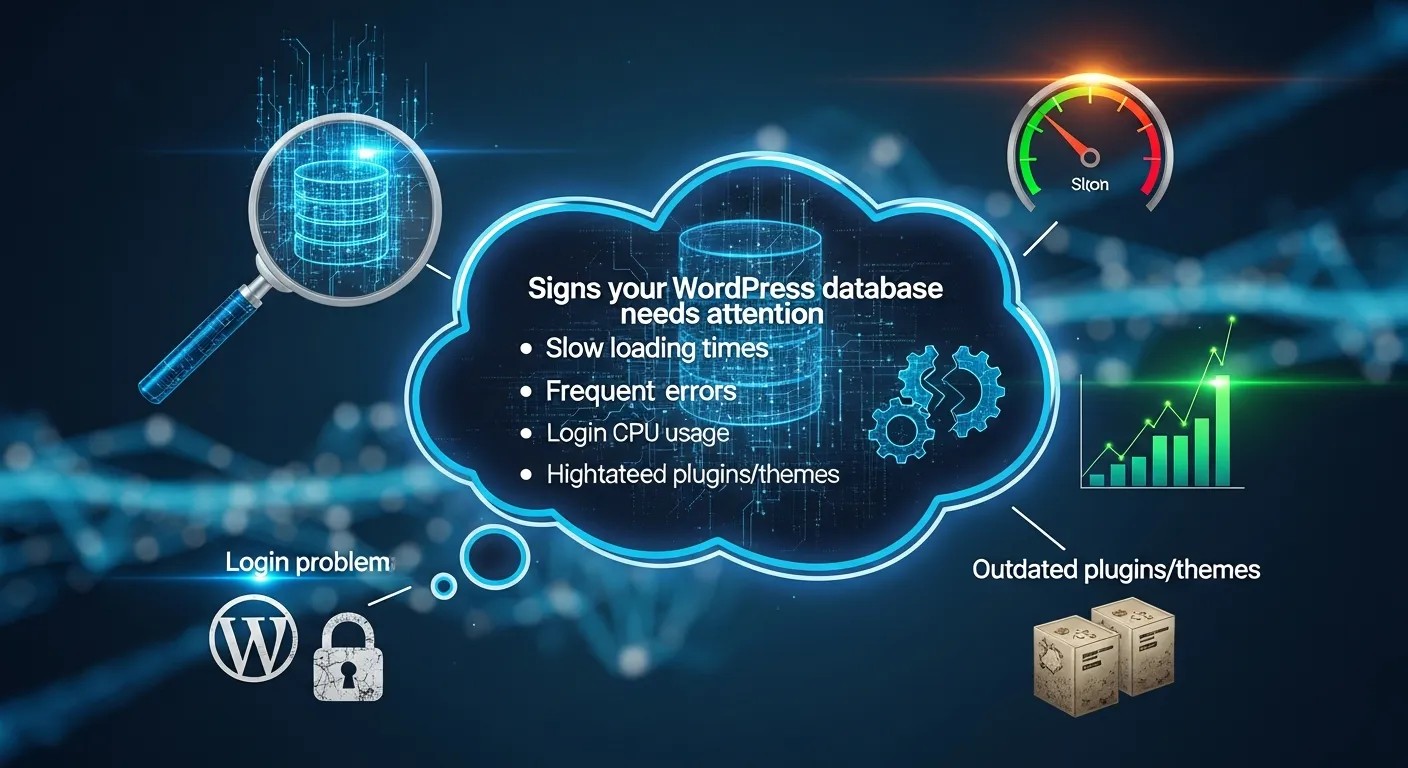
A site rarely announces database bloat with a single dramatic warning. More often, the signs appear gradually. The dashboard may feel sluggish. Searches inside wp-admin may lag. Page edits may take longer to save. Backups may grow larger than expected. Cron-based tasks may run slowly. If these issues appear together, a Database Cleaner Plugin may be useful.
Another clue is content churn. If you publish frequently, update sales pages often, or use many plugins that store logs, a Database Cleaner Plugin becomes more relevant over time. Sites with long editorial histories can accumulate thousands of revisions and temporary records that no longer help anyone. In that situation, a Database Cleaner Plugin is less about novelty and more about maintenance discipline.
There is also a reputation angle. A slow or unstable site can frustrate visitors, reduce conversions, and create the impression that the brand is not well managed. That matters in online reputation management because users often read performance as a sign of reliability. A sluggish site can feel careless even when the content is strong. A Database Cleaner Plugin cannot fix branding by itself, but it can remove one common source of friction.
If your site has started to feel heavy, do not guess. Check database size, review revision counts, examine transient growth, and look for old tables from inactive plugins. When those numbers trend upward, a Database Cleaner Plugin is usually a sensible next step.
Section 5
This part of the workflow still benefits from a Database Cleaner Plugin. When you pair cleanup with regular backups, you lower risk. When you pair a Database Cleaner Plugin with sensible caching, you improve delivery speed without forcing the server to carry old baggage. When you pair a Database Cleaner Plugin with plugin audits, you reduce the chance that abandoned data will keep growing behind the scenes.
A practical routine often starts with inspection, then cleanup, then validation. The Database Cleaner Plugin should be treated as a maintenance instrument, not an emergency cure. Used monthly or quarterly, it can keep the database from becoming a hidden bottleneck. Used blindly, it can cause confusion. That is why previews, restore points, and logging matter so much.
For store owners and publishers, the Database Cleaner Plugin is especially useful after redesigns, plugin migrations, or content restructuring. Those moments often leave obsolete records behind. Cleaning them at the right time keeps future work smoother and can reduce the weight of backups and exports.
In teams that care about measurable efficiency, a Database Cleaner Plugin belongs beside performance testing, not beneath it. The number of records removed matters less than the stability gained afterward.
Section 6
This part of the workflow still benefits from a Database Cleaner Plugin. When you pair cleanup with regular backups, you lower risk. When you pair a Database Cleaner Plugin with sensible caching, you improve delivery speed without forcing the server to carry old baggage. When you pair a Database Cleaner Plugin with plugin audits, you reduce the chance that abandoned data will keep growing behind the scenes.
A practical routine often starts with inspection, then cleanup, then validation. The Database Cleaner Plugin should be treated as a maintenance instrument, not an emergency cure. Used monthly or quarterly, it can keep the database from becoming a hidden bottleneck. Used blindly, it can cause confusion. That is why previews, restore points, and logging matter so much.
For store owners and publishers, the Database Cleaner Plugin is especially useful after redesigns, plugin migrations, or content restructuring. Those moments often leave obsolete records behind. Cleaning them at the right time keeps future work smoother and can reduce the weight of backups and exports.
In teams that care about measurable efficiency, a Database Cleaner Plugin belongs beside performance testing, not beneath it. The number of records removed matters less than the stability gained afterward.
Section 7
This part of the workflow still benefits from a Database Cleaner Plugin. When you pair cleanup with regular backups, you lower risk. When you pair a Database Cleaner Plugin with sensible caching, you improve delivery speed without forcing the server to carry old baggage. When you pair a Database Cleaner Plugin with plugin audits, you reduce the chance that abandoned data will keep growing behind the scenes.
A practical routine often starts with inspection, then cleanup, then validation. The Database Cleaner Plugin should be treated as a maintenance instrument, not an emergency cure. Used monthly or quarterly, it can keep the database from becoming a hidden bottleneck. Used blindly, it can cause confusion. That is why previews, restore points, and logging matter so much.
For store owners and publishers, the Database Cleaner Plugin is especially useful after redesigns, plugin migrations, or content restructuring. Those moments often leave obsolete records behind. Cleaning them at the right time keeps future work smoother and can reduce the weight of backups and exports.
In teams that care about measurable efficiency, a Database Cleaner Plugin belongs beside performance testing, not beneath it. The number of records removed matters less than the stability gained afterward.
Section 8
This part of the workflow still benefits from a Database Cleaner Plugin. When you pair cleanup with regular backups, you lower risk. When you pair a Database Cleaner Plugin with sensible caching, you improve delivery speed without forcing the server to carry old baggage. When you pair a Database Cleaner Plugin with plugin audits, you reduce the chance that abandoned data will keep growing behind the scenes.
A practical routine often starts with inspection, then cleanup, then validation. The Database Cleaner Plugin should be treated as a maintenance instrument, not an emergency cure. Used monthly or quarterly, it can keep the database from becoming a hidden bottleneck. Used blindly, it can cause confusion. That is why previews, restore points, and logging matter so much.
For store owners and publishers, the Database Cleaner Plugin is especially useful after redesigns, plugin migrations, or content restructuring. Those moments often leave obsolete records behind. Cleaning them at the right time keeps future work smoother and can reduce the weight of backups and exports.
In teams that care about measurable efficiency, a Database Cleaner Plugin belongs beside performance testing, not beneath it. The number of records removed matters less than the stability gained afterward.
Section 9
This part of the workflow still benefits from a Database Cleaner Plugin. When you pair cleanup with regular backups, you lower risk. When you pair a Database Cleaner Plugin with sensible caching, you improve delivery speed without forcing the server to carry old baggage. When you pair a Database Cleaner Plugin with plugin audits, you reduce the chance that abandoned data will keep growing behind the scenes.
A practical routine often starts with inspection, then cleanup, then validation. The Database Cleaner Plugin should be treated as a maintenance instrument, not an emergency cure. Used monthly or quarterly, it can keep the database from becoming a hidden bottleneck. Used blindly, it can cause confusion. That is why previews, restore points, and logging matter so much.
For store owners and publishers, the Database Cleaner Plugin is especially useful after redesigns, plugin migrations, or content restructuring. Those moments often leave obsolete records behind. Cleaning them at the right time keeps future work smoother and can reduce the weight of backups and exports.
In teams that care about measurable efficiency, a Database Cleaner Plugin belongs beside performance testing, not beneath it. The number of records removed matters less than the stability gained afterward.
Section 10
This part of the workflow still benefits from a Database Cleaner Plugin. When you pair cleanup with regular backups, you lower risk. When you pair a Database Cleaner Plugin with sensible caching, you improve delivery speed without forcing the server to carry old baggage. When you pair a Database Cleaner Plugin with plugin audits, you reduce the chance that abandoned data will keep growing behind the scenes.
A practical routine often starts with inspection, then cleanup, then validation. The Database Cleaner Plugin should be treated as a maintenance instrument, not an emergency cure. Used monthly or quarterly, it can keep the database from becoming a hidden bottleneck. Used blindly, it can cause confusion. That is why previews, restore points, and logging matter so much.
For store owners and publishers, the Database Cleaner Plugin is especially useful after redesigns, plugin migrations, or content restructuring. Those moments often leave obsolete records behind. Cleaning them at the right time keeps future work smoother and can reduce the weight of backups and exports.
In teams that care about measurable efficiency, a Database Cleaner Plugin belongs beside performance testing, not beneath it. The number of records removed matters less than the stability gained afterward.
Section 11
This part of the workflow still benefits from a Database Cleaner Plugin. When you pair cleanup with regular backups, you lower risk. When you pair a Database Cleaner Plugin with sensible caching, you improve delivery speed without forcing the server to carry old baggage. When you pair a Database Cleaner Plugin with plugin audits, you reduce the chance that abandoned data will keep growing behind the scenes.
A practical routine often starts with inspection, then cleanup, then validation. The Database Cleaner Plugin should be treated as a maintenance instrument, not an emergency cure. Used monthly or quarterly, it can keep the database from becoming a hidden bottleneck. Used blindly, it can cause confusion. That is why previews, restore points, and logging matter so much.
For store owners and publishers, the Database Cleaner Plugin is especially useful after redesigns, plugin migrations, or content restructuring. Those moments often leave obsolete records behind. Cleaning them at the right time keeps future work smoother and can reduce the weight of backups and exports.
In teams that care about measurable efficiency, a Database Cleaner Plugin belongs beside performance testing, not beneath it. The number of records removed matters less than the stability gained afterward.
Section 12
This part of the workflow still benefits from a Database Cleaner Plugin. When you pair cleanup with regular backups, you lower risk. When you pair a Database Cleaner Plugin with sensible caching, you improve delivery speed without forcing the server to carry old baggage. When you pair a Database Cleaner Plugin with plugin audits, you reduce the chance that abandoned data will keep growing behind the scenes.
A practical routine often starts with inspection, then cleanup, then validation. The Database Cleaner Plugin should be treated as a maintenance instrument, not an emergency cure. Used monthly or quarterly, it can keep the database from becoming a hidden bottleneck. Used blindly, it can cause confusion. That is why previews, restore points, and logging matter so much.
For store owners and publishers, the Database Cleaner Plugin is especially useful after redesigns, plugin migrations, or content restructuring. Those moments often leave obsolete records behind. Cleaning them at the right time keeps future work smoother and can reduce the weight of backups and exports.
In teams that care about measurable efficiency, a Database Cleaner Plugin belongs beside performance testing, not beneath it. The number of records removed matters less than the stability gained afterward.
Section 13
This part of the workflow still benefits from a Database Cleaner Plugin. When you pair cleanup with regular backups, you lower risk. When you pair a Database Cleaner Plugin with sensible caching, you improve delivery speed without forcing the server to carry old baggage. When you pair a Database Cleaner Plugin with plugin audits, you reduce the chance that abandoned data will keep growing behind the scenes.
A practical routine often starts with inspection, then cleanup, then validation. The Database Cleaner Plugin should be treated as a maintenance instrument, not an emergency cure. Used monthly or quarterly, it can keep the database from becoming a hidden bottleneck. Used blindly, it can cause confusion. That is why previews, restore points, and logging matter so much.
For store owners and publishers, the Database Cleaner Plugin is especially useful after redesigns, plugin migrations, or content restructuring. Those moments often leave obsolete records behind. Cleaning them at the right time keeps future work smoother and can reduce the weight of backups and exports.
In teams that care about measurable efficiency, a Database Cleaner Plugin belongs beside performance testing, not beneath it. The number of records removed matters less than the stability gained afterward.
Where this fits in the wider optimization stack

A Database Cleaner Plugin is only one part of a healthy site. The right order matters. First comes the backup. Then comes the cleanup. Then comes testing. After that, you compare load times, query behavior, and dashboard responsiveness. A Database Cleaner Plugin should improve the site in visible ways, but the results are strongest when the rest of the stack is already disciplined.
This is where a best WordPress Cache Plugin can complement cleanup. Caching reduces the number of times WordPress has to rebuild content for visitors. Cleanup reduces the amount of useless data that WordPress has to carry around. Together, they support a site that feels lighter in both the front end and the back end.
A Database Cleaner Plugin also pairs well with an Image Optimizer WordPress Plugin because slow media and bloated tables often show up in the same underperforming sites. Images hurt page weight. Database clutter hurts query efficiency. Solving both gives a more complete performance gain than chasing either one alone.
If your site uses a WordPress Maintenance Mode Plugin during major changes, a cleanup session is a good match for that window. The site is already in a controlled state, so you can work carefully, verify results, and avoid confusing visitors while structural changes are happening.
How to choose safely
Choosing a Database Cleaner Plugin should begin with trust, not features. You want clear labeling, easy backups, selective cleanup, and a way to preview what will be removed. A useful Database Cleaner Plugin explains its categories in plain language and avoids pushing aggressive deletion by default.
Look for support for scheduled maintenance, exclusions, and restore-friendly workflows. A good Database Cleaner Plugin should also respect different site types. A blog, a news site, a membership platform, and a store may each need different handling. The cleaner should adapt rather than assume that every database record is disposable.
Review compatibility as well. A Database Cleaner Plugin that works beautifully on a small personal site may behave differently on a high-traffic installation with many custom tables. Good documentation is a positive sign. So is a clear changelog and recent support activity. Those details tell you the tool is maintained and that users are not left guessing.
If you also monitor Predicting SaaS Customer Churn in a SaaS business blog, the cleaner should never interfere with analytics scripts, event logs, or conversion data. Data integrity matters more than a slightly smaller database.
A practical cleanup workflow
A Database Cleaner Plugin works best in a predictable workflow. Start with a full backup. Confirm that you can restore it. Then scan for revisions, spam, expired transients, orphaned metadata, and leftover tables. Review each category before deleting anything. If the plugin offers a test mode, use it first. Only after that should you run the cleanup.
After the cleanup, test the site. Open key pages. Submit a form. Review the admin dashboard. Check any store checkout or membership flow. Measure page speed if you can. A Database Cleaner Plugin is successful when the site feels smoother and the data layer becomes easier to manage.
Do not skip verification. A Database Cleaner Plugin may look successful on the surface even if a dependency was missed. Real maintenance means checking results, not assuming them. If something looks strange, restore the backup and investigate calmly. That habit protects both the site and the team responsible for it.
For long-term maintenance, repeat the same sequence on a schedule. Monthly is enough for many sites. High-output publishers and ecommerce stores may need a tighter rhythm. The purpose of a Database Cleaner Plugin is stability, so the process should itself be stable.
Common mistakes to avoid
A Database Cleaner Plugin should never be used as a shortcut for poor maintenance. If the site has duplicate plugins, broken themes, or weak hosting, cleanup alone will not solve the root issue. Still, a Database Cleaner Plugin can reduce noise enough to make the real problems easier to see.
Many teams start to notice that after a careful cleanup, reports become easier to interpret, backups shrink, and the admin area feels calmer. That calm matters. It helps people make better decisions and reduces the temptation to overreact to every small slowdown. A Database Cleaner Plugin supports a more measured maintenance culture.
When paired with performance review and content discipline, a Database Cleaner Plugin becomes part of a healthier publishing system. That means fewer surprises, better page consistency, and a more dependable experience for returning users. In the end, the real goal is not deleting data for its own sake; it is restoring control.
A final note: the best results usually come from simple repetition. Run the checks, compare the results, and repeat the process on schedule. That is how a Database Cleaner Plugin turns from a one-time fix into a dependable maintenance habit.
Conclusion
A Database Cleaner Plugin is most effective when it is treated as a discipline rather than a trick. Cleanups work because WordPress sites accumulate waste naturally, not because every record is dangerous. When you remove only what is stale, unnecessary, or safely abandoned, you make the system easier to maintain and faster to trust. That improved clarity helps editors, developers, marketers, and business owners alike.
The biggest benefit of a Database Cleaner Plugin is not just speed. It is confidence. A lighter database supports smoother publishing, cleaner backups, easier troubleshooting, and a more professional experience for visitors. Combined with caching, media optimization, and careful plugin management, it becomes part of a stronger long-term performance strategy. Used regularly and safely, a Database Cleaner Plugin helps WordPress stay responsive, organized, and ready for growth.
Frequently Asked Questions (FAQ)
What does a Database Cleaner Plugin actually remove?
A Database Cleaner Plugin usually removes revisions, spam, expired transients, trashed items, orphaned metadata, and leftover plugin tables when they are safe to delete.
Is a Database Cleaner Plugin safe for beginners?
Yes, as long as you back up first and review what will be deleted. A cautious Database Cleaner Plugin is designed to simplify maintenance, not create risk.
How often should I use a Database Cleaner Plugin?
Many sites can use a Database Cleaner Plugin monthly. Busy publishers and stores may benefit from more regular checks, depending on content volume and plugin activity.
Will a Database Cleaner Plugin speed up my site immediately?
Often, yes, especially if the database was bloated. The result is usually modest to meaningful rather than dramatic, and it works best alongside caching and image optimization.
Can a Database Cleaner Plugin replace backups?
No. A Database Cleaner Plugin should always be paired with backups. Cleanup and recovery are different jobs, and both matter.
Does a Database Cleaner Plugin help SEO?
Indirectly, yes. Cleaner databases can support faster performance and smoother user experiences, which can help engagement and site quality signals.
Should I delete everything the Database Cleaner Plugin finds?
No. Review the categories carefully. A good cleanup is selective, not reckless.
Do I still need a cache plugin if I use a Database Cleaner Plugin?
Yes. A cache plugin and a Database Cleaner Plugin solve different problems. One reduces delivery work, and the other reduces storage clutter.
What if my site uses custom tables?
Check compatibility first. A Database Cleaner Plugin should understand custom data structures or at least avoid touching them without confirmation.
What is the best time to run a Database Cleaner Plugin?
Run it during low-traffic hours or maintenance windows, especially if your site is active or sensitive to brief disruptions.



Leave a Reply