

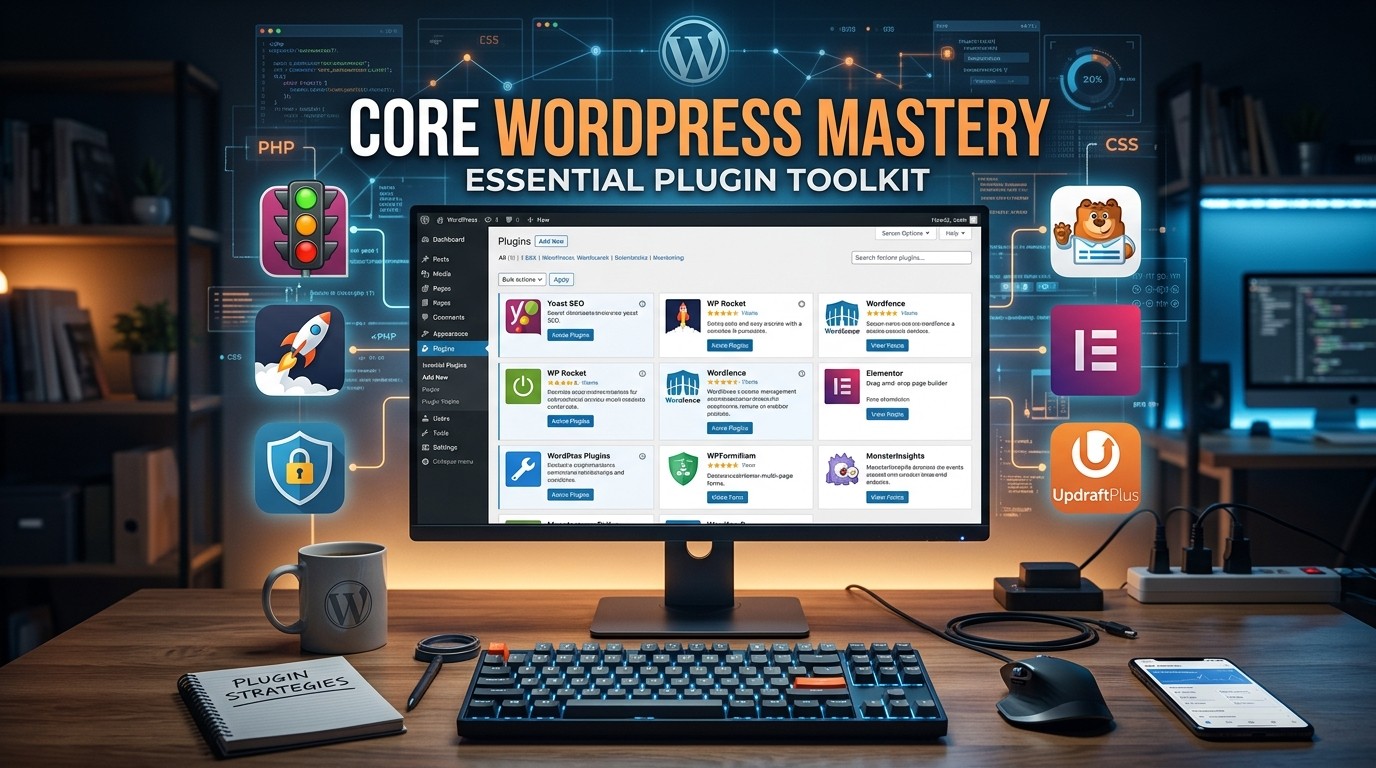
Core WordPress Mastery helps you build a faster, safer, and easier-to-manage WordPress site by choosing a few well-matched plugins for speed, cleanup, backups, and workflow control.
Core WordPress Mastery is not about filling a WordPress site with every popular plugin. Core WordPress Mastery is about choosing a small, reliable toolkit that makes the site faster, safer, and easier to recover when something goes wrong. That matters because WordPress performance tools, maintenance tools, image optimization tools, database cleanup tools, and backup tools each solve a different problem, and the site gets simpler when each tool has one clear job. LiteSpeed Cache describes itself as an all-in-one acceleration plugin with server-level caching, WP Super Cache generates static HTML from dynamic WordPress content, and UpdraftPlus focuses on backup, restore, and migration.
Core WordPress Mastery also helps you think ahead instead of reacting under pressure. A site that has speed protection, maintenance mode, image optimization, database cleanup, and backup coverage is much less likely to create panic during a launch, redesign, update, or traffic spike. Core WordPress Mastery is therefore not only a technical idea. It is a calmer operating style that protects your time, your visitors, and your confidence. When the toolkit is chosen well, the site feels easier to run every day.
Why a WordPress toolkit matters
Core WordPress Mastery starts with a simple truth: the site rarely breaks in one dramatic way. It usually becomes difficult little by little. Pages slow down. Images grow heavy. Revisions accumulate. Updates need temporary hiding. Backups get delayed. Lead forms stop syncing cleanly. A good plugin toolkit prevents those small problems from becoming big ones. Core WordPress Mastery is strongest when each layer of the site has a tool that protects it before trouble starts.
Core WordPress Mastery is also useful because it reduces emotional overhead. When you know there is a cache layer, a maintenance mode option, an image optimizer, a database cleaner, and a backup plan, you stop treating every site change like a risk event. That feeling matters. A site owner who trusts the process makes better decisions than someone who is constantly worried the next click will break everything. Core WordPress Mastery creates that trust by making the setup intentional instead of random.
Start with performance
Core WordPress Mastery should begin with performance because speed changes the visitor’s first impression. A site that loads fast feels more polished, more trustworthy, and more professional. WP Super Cache generates static HTML files from dynamic WordPress content so the server can serve lighter pages to most users. LiteSpeed Cache goes further with server-level caching and a bundle of optimization features. WP Fastest Cache is another speed-focused plugin that aims to improve page performance and Core Web Vitals. Core WordPress Mastery becomes much easier to sustain when the site is not fighting basic load-time problems every day.
Core WordPress Mastery is not about installing every cache plugin at once. It is about choosing one caching approach that fits the hosting stack and the technical comfort of the team. If the server supports LiteSpeed, that may be the natural fit. If the goal is a simple static-file approach, WP Super Cache may be easier to understand. If the site owner wants a straightforward cache plugin with a speed-first positioning, WP Fastest Cache can make sense. The right choice is the one that improves speed without creating confusion.
Best WordPress Cache Plugin
Core WordPress Mastery becomes practical when the cache tool matches the site’s actual traffic pattern. LiteSpeed Cache describes itself as an all-in-one site acceleration plugin with server-level cache and optimization features, while WP Super Cache focuses on generating static HTML files from your dynamic WordPress blog. WP Fastest Cache is presented as a cache plugin designed to improve performance and PageSpeed metrics. Core WordPress Mastery is stronger when you compare those approaches and choose the one that fits the hosting, traffic, and support style you actually have.
Core WordPress Mastery also benefits from restraint. A cache plugin should help the site feel simpler, not more fragile. That means you should test the site after activation, check whether key pages render correctly, and make sure the cache behavior matches how the site is used. Core WordPress Mastery becomes more durable when performance changes are verified instead of assumed.
Maintenance mode should feel deliberate
Core WordPress Mastery is not only about what visitors experience when the site is live. It is also about what they see while you are working. The Maintenance plugin lets administrators close a site for maintenance, show a temporary page, and even set a 503 response. WP Maintenance also lets site owners place the site in a waiting state while they prepare or launch the site. Core WordPress Mastery improves when site changes happen behind a clean front-facing message instead of exposing half-finished work.
Core WordPress Mastery feels more professional when maintenance mode is used as part of a planned workflow. Updates, redesigns, migration work, and troubleshooting all become easier when visitors are not seeing broken layouts or unfinished content. A maintenance mode plugin helps protect trust because it gives the site a controlled pause instead of an accidental disruption. That kind of communication is small, but it changes how people experience the site.
Image handling is a performance issue
Core WordPress Mastery should always include image optimization because images often become one of the heaviest parts of a WordPress site. The Image Optimizer plugin says it reduces image size through compression and resizing while preserving quality, and it supports formats such as JPEG, PNG, WebP, AVIF, and GIF. EWWW Image Optimizer also focuses on automatic image optimization and supports server-based tools or an API-based approach when needed. Core WordPress Mastery becomes much easier when images are handled before they start slowing the site down.
Core WordPress Mastery also benefits from a media workflow that matches the way content is published. If a site regularly posts large images, it should not rely on manual optimization after publication. Automatic compression and resizing save time and make the site more stable. The reSmush.it plugin is described as a free image compressor and optimizer that can bulk optimize existing images and automatically optimize new uploads. That is useful because image bloat can creep in quietly over time if no one is watching it.
Image Optimizer WordPress Plugin
Core WordPress Mastery becomes more resilient when images are optimized before they accumulate as a burden. The Image Optimizer WordPress Plugin description emphasizes compression, resizing, and support for modern formats, while EWWW Image Optimizer emphasizes automation and alternate optimization pathways. Core WordPress Mastery should treat this as a normal part of publishing, not an occasional cleanup task. The right image tool reduces page weight without sacrificing quality, which helps both usability and perception.
Core WordPress Mastery also improves when the team remembers that image decisions affect the whole site. A beautifully designed page can still feel slow if the files behind it are too large. The best image tools help preserve the visual look while reducing the technical cost of that look. That balance is what makes the plugin essential rather than decorative.
Database cleanup keeps the site healthy
Core WordPress Mastery gets stronger when the database is cleaned regularly. Database Cleaner describes itself as a user-friendly tool to clean and optimize databases, while Advanced Database Cleaner says it removes unused data such as revisions, auto drafts, spam comments, expired transients, unused post meta, duplicated post meta, and unused user meta. Core WordPress Mastery needs this kind of maintenance because data clutter slows down management and makes the backend feel harder to trust.
Core WordPress Mastery also benefits from knowing that database cleanup is not always glamorous but often highly effective. WP-Optimize combines caching, image optimization, database cleaning, and minification, which shows how often database work belongs in the broader performance story. If the site has existed for a while, the database usually contains things that are no longer useful but still take up space. Cleaning them helps the site feel lighter and easier to manage.
Database Cleaner Plugin
Core WordPress Mastery becomes much calmer when the database has a routine cleanup path. The Database Cleaner Plugin and Advanced Database Cleaner both point toward the same basic benefit: removing clutter and optimizing the database so the site does not carry unnecessary baggage. Core WordPress Mastery is stronger when cleanup is planned, backed up, and done carefully instead of only after the site becomes slow or messy.
Core WordPress Mastery should treat database maintenance as a normal part of site ownership. It is easy to forget because users do not see it directly, but the backend experiences its effects every day. The cleaner the database, the easier it is to update, troubleshoot, and grow without the site feeling overloaded.
Backups are not optional
Core WordPress Mastery is incomplete without reliable backups. UpdraftPlus describes itself as a backup and migration plugin that can restore a site in a few clicks and store backups in locations such as Dropbox, Google Drive, Amazon S3, FTP, and email. All-in-One WP Migration and Backup also focuses on backup, restore, and migration workflows. Core WordPress Mastery becomes much safer when recovery exists before disaster does.
Core WordPress Mastery should treat backups as a habit rather than a checkbox. A backup that exists but has never been tested is less comforting than it looks. The best backup process is the one you know you can actually restore from if something breaks. Some backup tools even include cloning or migration support, which is useful if the site ever moves hosts or gets rebuilt.
WordPress Backup Plugin
Core WordPress Mastery becomes far less stressful when the backup tool is set to run on a schedule. The WordPress Backup Plugin category includes tools like UpdraftPlus and All-in-One WP Migration and Backup, which show how central restore and migration workflows are to serious site management. Core WordPress Mastery should always include at least one backup path that is simple enough to use under pressure.
Core WordPress Mastery also improves when backups are treated as a confidence system. A good backup tool does not just preserve files. It gives the site owner the courage to update, change, and improve without fearing total loss. That freedom is one of the quiet advantages of a proper toolkit.
CRM and Automation Tech on WordPress
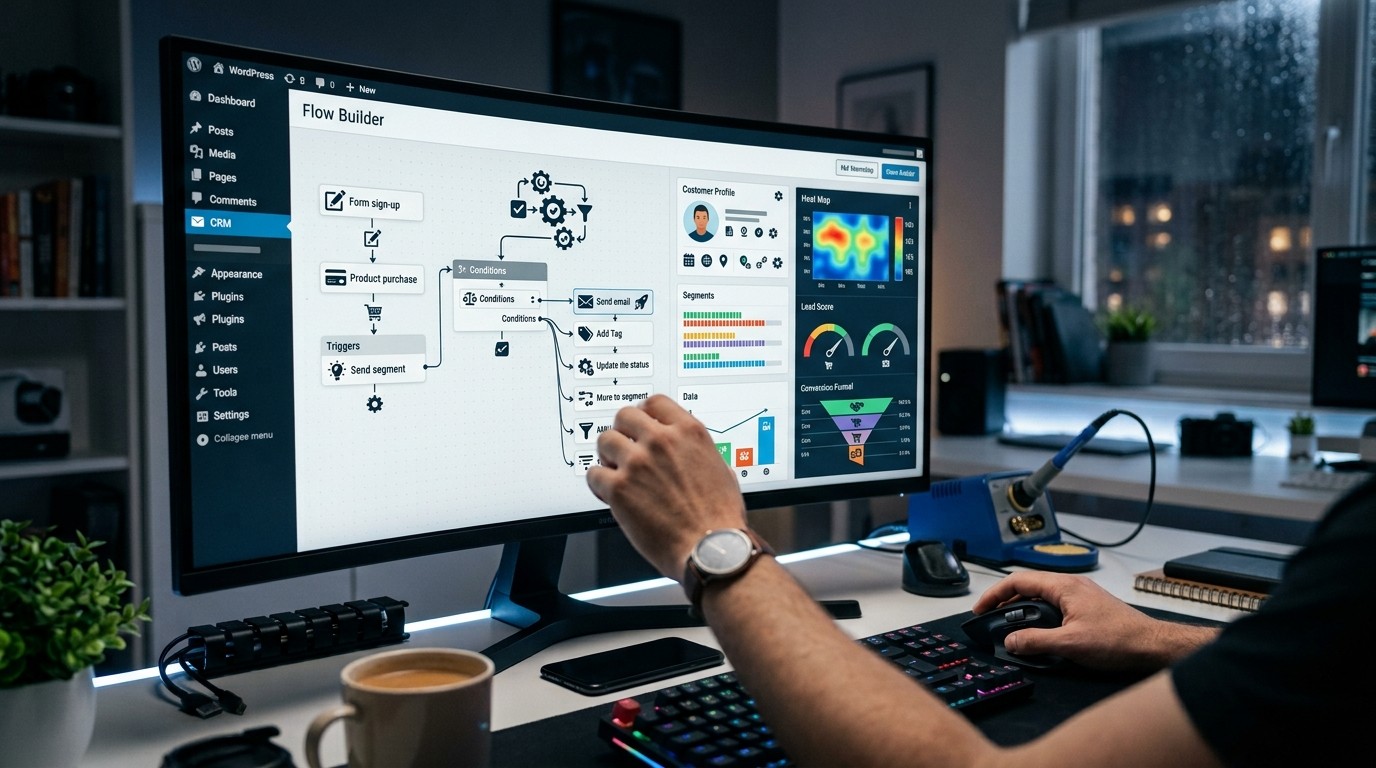
Core WordPress Mastery becomes more valuable when the site is part of a lead capture or email automation workflow. FluentCRM describes itself as a self-hosted CRM and email marketing solution inside WordPress, with lead collection, email campaigns, funnels, and conversion tracking. That makes it relevant for sites that want the WordPress dashboard to act as part of the customer journey instead of just a content area. Core WordPress Mastery matters because the better the site handles its front-end and its data flow, the easier it is to grow.
Core WordPress Mastery should also consider form-to-CRM pathways. Plugins in this area can send leads from WordPress forms to CRMs or connect WordPress forms to customer workflows. That matters because missed or messy leads create invisible friction. If the site collects inquiries, subscriptions, or registrations, the toolkit should protect that data just as carefully as it protects page speed.
CRM and Automation Tech
Core WordPress Mastery becomes stronger when CRM and Automation Tech are connected to the site in a clean way. FluentCRM is a self-hosted CRM and email marketing solution, and plugins like WP Leads Builder Any CRM or FormsCRM are designed to move form leads into external systems. Core WordPress Mastery should see those tools as part of the reliability stack, because marketing becomes much less effective when the site loses track of the people who interacted with it.
Core WordPress Mastery also means thinking about what happens after the form is submitted. A lead that disappears into the wrong place is not really a lead system. A lead that lands in the right CRM with the right fields is much more useful. That is why automation tools should be chosen with the same care as performance tools.
Salesforce integration deserves a plan
Core WordPress Mastery should include Salesforce Integration Optimization when WordPress forms feed a sales process. WordPress plugin listings show integrations for Contact Form 7, WPForms, Elementor Forms, WooCommerce, and direct Salesforce data exchange. That matters because a site can look polished and still create problems if the lead mapping is wrong. Core WordPress Mastery is stronger when the data path is as intentional as the design path.
Core WordPress Mastery also benefits from choosing one Salesforce integration path carefully instead of combining several overlapping methods. Some plugins map fields directly or send data to Salesforce objects. Others sit on top of form plugins and move submissions through a connector. The important thing is to test what actually reaches Salesforce and whether the field names, object mapping, and duplicate rules behave the way you expect.
Salesforce Integration Optimization
Core WordPress Mastery becomes much easier to manage when Salesforce Integration Optimization is treated as part of site health. If the integration is clean, leads move where they should, reporting is more trustworthy, and sales does not waste time fixing missing data. Core WordPress Mastery should therefore include a workflow check after form setup, because a technical integration is only useful when the output is consistent.
Core WordPress Mastery also benefits from regular review. A WordPress site can silently create friction if forms, CRM rules, or lead routes break after an update. Good integration work means checking the submission path, the CRM destination, and the final field mapping after changes. That habit protects the business side of the site just as much as the user side.
How to choose without overloading the site
Core WordPress Mastery is easiest when the toolkit stays small and clear. A cache tool should improve speed. A maintenance mode tool should protect visitors during changes. An image tool should keep media light. A database cleaner should remove clutter. A backup tool should protect recovery. If the site also handles leads, then CRM and Salesforce integrations can sit on top of that foundation. Core WordPress Mastery becomes fragile when too many tools try to do the same job.
Core WordPress Mastery is also easier when you resist “just in case” plugin installs. A plugin should solve a real site problem, not decorate the dashboard. If a feature is already covered by one plugin, adding another one often creates overlap, confusion, or harder troubleshooting. The healthiest toolkit is usually the one with the fewest surprises.
A practical decision
| Need | Plugin category | Why it matters |
|---|---|---|
| Faster loading | Best WordPress Cache Plugin | Reduces repeat processing and improves speed |
| Temporary site pause | WordPress Maintenance Mode Plugin | Protects visitors during updates |
| Media weight control | Image Optimizer WordPress Plugin | Keeps pages lighter |
| Backend hygiene | Database Cleaner Plugin | Removes clutter and orphaned data |
| Recovery plan | WordPress Backup Plugin | Restores or migrates the site |
| Lead handling | CRM and Automation Tech | Moves form data into marketing systems |
| Sales handoff | Salesforce Integration Optimization | Keeps lead data aligned |
Core WordPress Mastery works better when each line in the toolkit table has only one job. That keeps the site easier to maintain and easier to explain to anyone who manages it later.
A simple operating rhythm
Core WordPress Mastery is not just a setup checklist. It is a rhythm. Review performance after major changes. Use maintenance mode when the site is being updated. Compress new images as they are uploaded. Clean the database on a schedule that matches site activity. Keep backups automatic and test the restore process before you need it. If forms feed CRM or Salesforce systems, confirm the path after updates. Core WordPress Mastery stays useful because it is repeated, not because it is done once.
Core WordPress Mastery also benefits from a simple rule: check the site after each important plugin change. If speed improves but layout breaks, that is not a win. If cleanup saves time but removes data you needed, that is not a win. If backup is configured but never tested, that is not a win either. The point is to create a site that behaves well in real life.
Troubleshooting without panic
Core WordPress Mastery is easiest to preserve when troubleshooting starts with the most likely issue, not the most dramatic one. If the site is slow, start with cache and image weight. If the backend feels bloated, look at database clutter. If the site is going through a redesign, use maintenance mode. If a change could cause damage, confirm the backup first. Core WordPress Mastery is really a way of reducing avoidable drama.
Core WordPress Mastery also means avoiding unnecessary plugin overlap when troubleshooting. If two plugins are trying to cache, compress, or optimize in different ways, it becomes harder to know what caused the problem. Test one change at a time when possible. That patience pays off because it preserves confidence in the toolkit.
The best toolkit depends on the site
Core WordPress Mastery is different for every site, and that is a strength. A content-heavy site may need stronger caching and image optimization. A business site may need maintenance mode and backups more urgently. A lead-generation site may care most about CRM and Salesforce workflows. A site with old content and years of revisions may need database cleaning sooner than anything else. Core WordPress Mastery is about matching the toolkit to the pressure points.
Core WordPress Mastery also means accepting that no plugin solves everything. The best cache plugin will not replace a backup plugin. The best image optimizer will not replace Salesforce Integration Optimization. The best maintenance mode plugin will not clean the database. The site feels strongest when each tool does its own job clearly.
Final perspective
Core WordPress Mastery is less about plugins and more about responsibility. The plugins are just the tools. The real value comes from using them in a way that protects speed, safety, organization, and recovery. That is why a good toolkit should feel boring in the best possible way. If the cache works, the images stay light, the database remains clean, the maintenance page appears when needed, and the backup can restore the site, then the site is doing exactly what it should. Core WordPress Mastery is the habit of making that normal.
Conclusion
Core WordPress Mastery helps turn WordPress from a collection of moving parts into a reliable system. A good cache plugin keeps the site fast, a maintenance mode plugin protects visitors during updates, an image optimizer reduces page weight, a database cleaner removes clutter, and a backup plugin gives you recovery when something breaks. If the site uses forms, CRM and Automation Tech can move leads cleanly into the business flow, and Salesforce Integration Optimization can keep that handoff trustworthy. The best toolkit is not the biggest one. It is the one that solves the real problems with the fewest surprises. Core WordPress Mastery is what happens when the site becomes easier to run, easier to trust, and easier to improve over time.
Frequently Asked Questions (FAQ)
What is Core WordPress Mastery?
Core WordPress Mastery is the practice of choosing the right WordPress tools so the site stays fast, safe, and manageable.
What should I install first?
Start with a cache plugin, because speed is often the quickest sign that the toolkit is helping.
Do I need a maintenance mode plugin?
Yes, if you update, redesign, or troubleshoot while visitors are still reaching the site.
Why is image optimization so important?
Because large images can slow pages down and make the site feel heavier than it should.
What does a database cleaner do?
It removes unnecessary clutter such as revisions, spam comments, expired transients, and unused metadata.
Why is a backup plugin essential?
Because it gives you restore and migration options if something goes wrong.
Should I use more than one cache plugin?
Usually no. Overlap can make troubleshooting harder and may create conflicts.
How do CRM and Automation Tech fit in?
They help move form leads and customer data into the right systems after someone interacts with the site.
What is Salesforce Integration Optimization?
It is the process of making sure WordPress form data reaches Salesforce correctly and consistently.
What is the safest overall approach?
Use one tool per problem, test carefully, keep backups ready, and review the site after important changes.



Leave a Reply